 FlowShot
01 / Connect.
Choose one active storage provider for your organization and select the parent folder.
Your folders, calendar and editing tools already have a place in your workflow. Bring the project context with them.
Your folder structure. Created automatically in Google Drive or Dropbox.
Connect one provider. Set your template once. Explore all featuresExample folder template · Google Drive
Illustrative preview: creating a project creates its folder and your configured subfolders in the selected storage provider. No real project or folders are created here.
Choose one active storage provider for your organization and select the parent folder.
Choose the naming pattern and the subfolders you use for photo and video production.
With automatic folders enabled, FlowShot creates the structure and attaches the folder link to the project. Files stay in your storage.
Read review comments beside your sequence. Jump to a timecode, add timeline markers and export the next version through FlowShot.
Plugin overview & installation ↗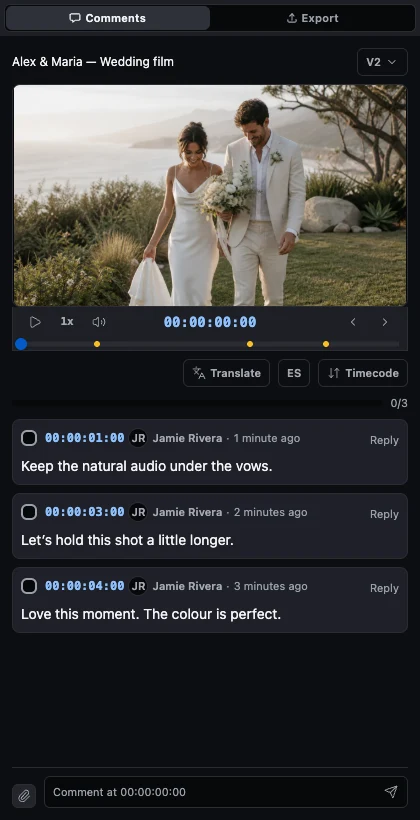 Explore the Premiere Pro plugin ↗
 Publish photos to a FlowShot project. Collect team comments, drawings and corrections, then sync the feedback back to your catalog for the next edit.
Version 0.3.1 · Verified with Lightroom Classic 15.5.1 on macOS. Windows qualification is pending.

Connect project dates and team events to your calendar. Use FlowShot for the production details and your calendar to see what is coming up.
Google Calendar and Apple Calendar sync are on every plan, Free included. FlowShot sends the dates out; edits made in your calendar do not come back.
Send a video from its review page directly to your connected Google Drive, Dropbox or YouTube account.
Explore direct transfers ↗When a HoneyBook project reaches the stage you choose, Zapier creates the FlowShot project with the client, date, location and project type. The studio owner or a co-owner sets it up in Settings → Integrations and signs in to FlowShot from Zapier. No key to copy.
It runs one way, HoneyBook to FlowShot, and needs a Zapier account. Imported projects count toward your plan like any other project.
Or book clients in the FlowShot CRM ↗Pick the Dubsado status that should start the work, for example Shot. When a project reaches it, Zapier creates the FlowShot project with the client's name, email and phone, the date and the venue with its address. Earlier statuses create nothing.
The studio owner or a co-owner sets it up from Settings → Integrations: map one value from Dubsado, type the status, choose Video, Photo or both. It runs one way, Dubsado to FlowShot, and needs a Zapier account plus an API key from Dubsado's settings. Imported projects count toward your plan like any other project.
Use FlowShot on Mac, Windows, iPhone and iPad. Android is coming soon.
Apps & downloads ↗Start a Free workspace and connect Google Calendar today. Cloud folders come with a paid plan.
Free plan · 2 projects · Review included · No credit card