Review video like Frame.io — inside your studio.
Timestamped comments, frame drawings, and version stacking. All inside the same project that holds your contract and your invoice.
Available on: Starter (comments + drawings + version stacking) · Business (+ custom domain)
Make the cut to the bride 4 frames earlier
Hold on the kiss for 1.5 more seconds
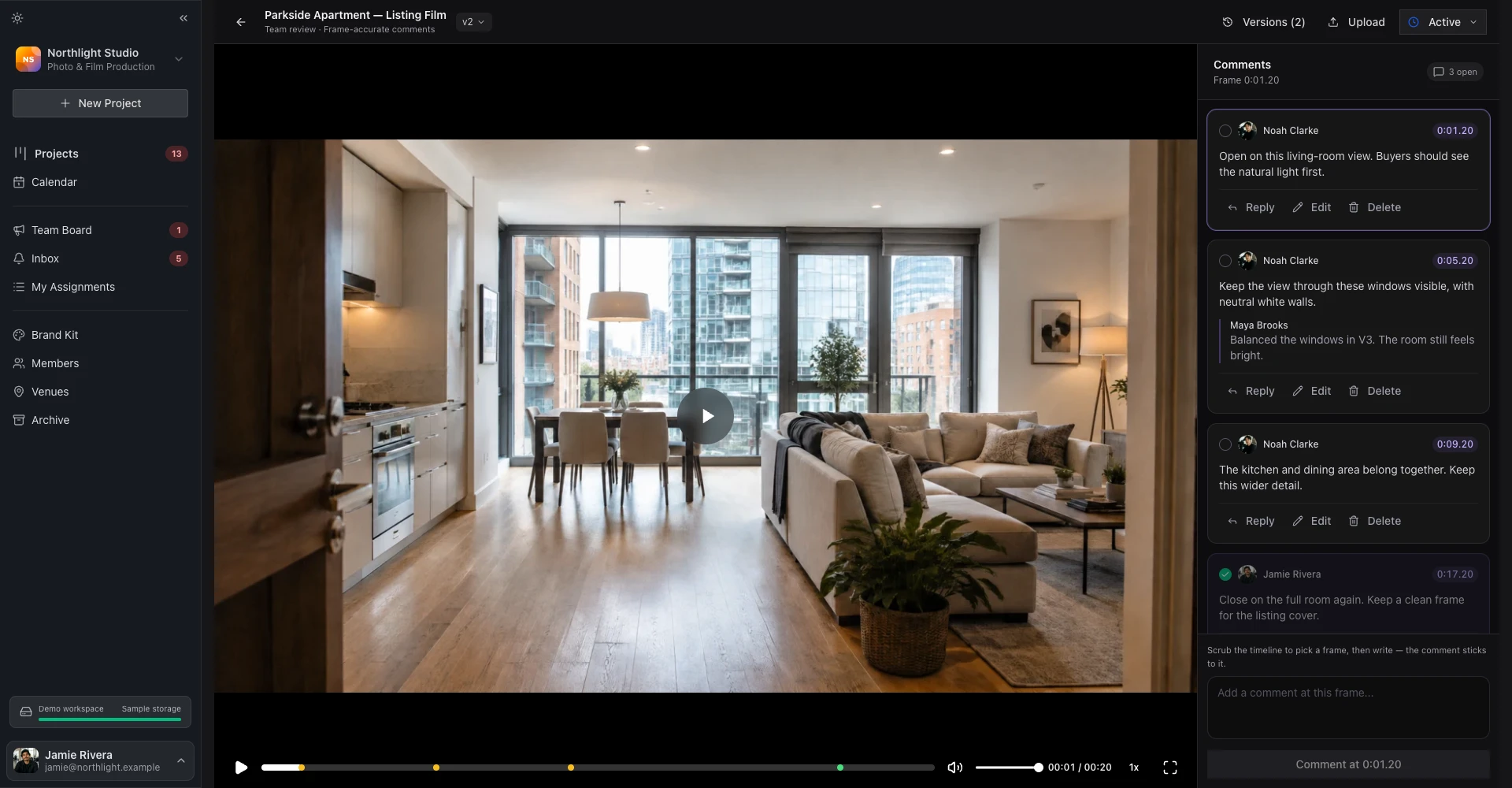
Comment and draw — anchored to the frame.
Pause anywhere on the timeline. Click to leave a comment, drag to draw a rectangle or freehand line. Every annotation pins to the exact timestamp so your editor jumps straight to the right frame.
- Click-to-comment with timestamp
- Freehand and shape drawing tools
- Reply threads on every annotation
- Resolve / re-open status per thread
v1 → v2 → v3 on one page.
Upload the next cut and the client sees v2 by default. Old comments stay attached to the version they were left on, so you have a clean revision history without losing the trail. Side-by-side compare lets the couple see what changed.
- Unlimited versions per cut
- Comments anchored to their version
- Side-by-side compare
- Save a version to lock comments and preserve the trail
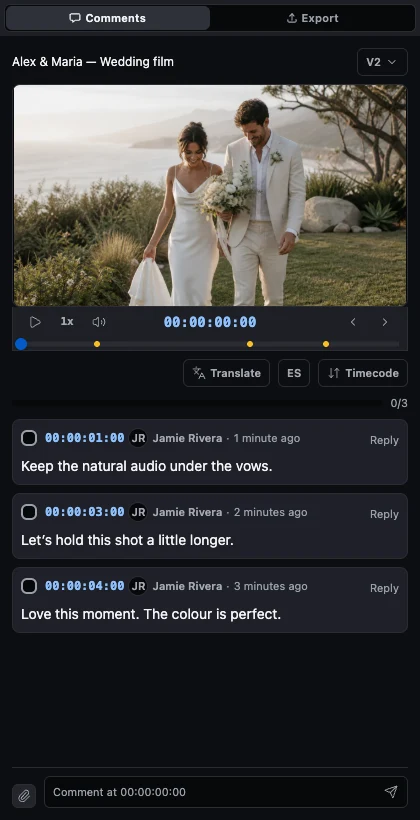
Your couple reviews from a phone, on hotel wifi.
Most wedding clients open your link on their phone, between meetings, in bed, on a couch. The review page is built for that: touch drawings, fast video startup, no account creation.
- Touch-input drawing tools
- Fast video start even on slow connections
- No app to install, no account to create
- Works on iOS Safari, Chrome, Firefox
A real review cycle, end to end.
- 1
Upload the cut
2 minutesDrag your MP4 or MOV onto the project's Review tab. FlowShot transcodes it automatically, generates a poster, and gives you a shareable review link.
- 2
Send the review link to your client
5 secondsThe link opens on your custom domain. The client sees the cut, a comment timeline, and tools to leave annotations. No app to install, no account to create.
- 3
Client leaves frame-accurate feedback
On their schedulePause anywhere, click to comment. Draw on the frame. Reply to existing comments. Every annotation is anchored to the timestamp.
- 4
Stack v1 → v2 → v3
Per cutUpload v2 alongside v1 on the same review page. Comments stay attached to the version they were left on. Clients see the latest by default but can compare side by side.
- 5
Lock the version when the cut is final
Per cutWhen the cut is final, save the version. Comments stay attached for reference, the cut is the deliverable, and the version history is preserved alongside the project.
What powers video review.
Third-party tooling, wired in and included in your plan.
Common questions about review.
- Is there a file size limit for video uploads in FlowShot video review?
- FlowShot transcodes uploads automatically so even a 4K source plays smoothly on hotel wifi. Storage is capped by your plan: Starter 50 GB base, Pro 200 GB, Business 500 GB, each with 50 GB add-on blocks if you run out.
- Can clients leave video review comments from a mobile phone?
- Yes. The review page is mobile-first. Clients leave annotations from a phone, including drawings (touch input) and text comments. We test on every release on a real iPhone and a real Android.
- How does my editor work between FlowShot and their NLE?
- Editors view the comment list in the FlowShot review tab and use the timestamp to jump to the right frame in their NLE (Premiere, Resolve, Final Cut). Each comment is anchored to a specific second, so the editor lands on the exact frame the client was looking at.
- What happens to comments when I upload v2?
- Comments stay attached to the version they were left on. v1 comments don't migrate to v2 (they'd be at the wrong timestamps after a re-edit). The client sees v2 by default with a clean comment slate; v1 is one tap away in the version switcher.
- How do international clients leave feedback in their language?
- DeepL translation is built into video review for the studio team on every paid plan — 30 languages. The studio reads each client comment in your language with the original kept alongside. Project chat carries the same translation for longer back-and-forth, and clients also see translated comments on photo review and project chat.
Works with the rest of FlowShot.
Free for your first 3 projects per month, forever. No credit card.