
Photography studio management software can mean a CRM for enquiries and bookings, a production system for shoots and editors, or a broader suite that also includes galleries and business tools. The right choice depends on which part of the studio is failing.
DataForSEO classifies “photography studio management software” as a commercial search with relatively low competition. The results mix booking CRMs, gallery suites, room-rental systems and production tools. Compare them by workflow layer before comparing feature counts.
The three layers sold as studio management
| Layer | What it manages | Typical records |
|---|---|---|
| Client and business | enquiry through booking and payment | leads, packages, contracts, invoices, questionnaires |
| Production | booking through approved work | shoots, crew, files, stages, deadlines, review versions |
| Delivery and sales | finished work presented to the client | galleries, films, favorites, downloads, print orders |
Some products cover several layers. The distinction still matters because one layer usually defines the product’s strongest workflow.
Photography CRMs such as Studio Ninja, HoneyBook, Dubsado and similar tools begin with the client relationship. Gallery products begin with presentation and proofing. Production workspaces begin with the shoot, assigned people and work in progress.
Ignore the label and open one record. Is it primarily a person, a booking, a shoot, a room or a gallery? That reveals the system’s real center.
Diagnose the workflow before booking demos
Review the last two weeks and mark what actually happened.
Client-side problems
- enquiries waited too long for a reply;
- packages were rewritten manually;
- contracts or deposits required repeated chasing;
- client emails and questionnaires were hard to find.
Production problems
- nobody could say which shoots were still unedited;
- an editor received a project late;
- photo and video from the same booking drifted apart;
- review notes were copied between email, chat and the cut;
- deadlines existed only in someone’s memory.
Delivery problems
- clients needed separate links for photos and films;
- download permissions or gallery closing dates were unclear;
- final and review versions were confused;
- favorites and client notes did not reach the team responsible for changes.
Buy for the list that caused the highest cost or client impact. A second CRM will not fix late edits if enquiries, contracts and deposits already work.
Follow one booking past the signature
Use a real project and walk through every handoff:
- Deposit paid.
- Photographer, videographer and assistants assigned.
- Cards ingested and backed up.
- Editor briefed.
- Internal review completed.
- Client-facing changes resolved.
- Photos and films delivered.
- Final payment and archive completed.
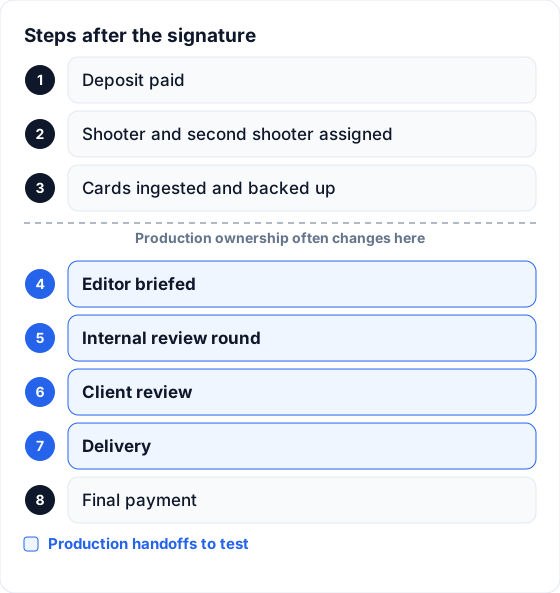 The quietest handoffs often begin after booking, when production moves between people.
The exact boundary differs by vendor, but the test is stable: can the candidate show who owns each step, its deadline and the current state without rebuilding the answer from integrations?
Test the freelancer’s view
Vendors naturally demonstrate the owner account. A multi-person studio should test the person with the narrowest legitimate access.
Create a project, assign a freelance editor and sign in as that person. Check:
- whether the assigned project is easy to find;
- whether the editor sees the brief, deadline and storage link;
- whether unrelated clients remain private;
- whether the editor can upload versions and resolve comments;
- whether they can change information they should only read;
- what their access costs.
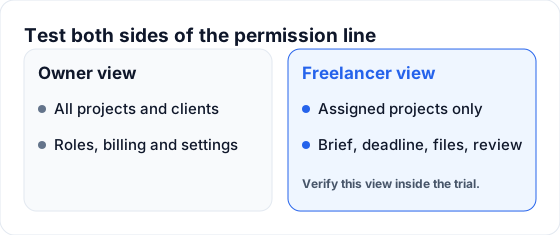 Permissions should expose the work required for the role, not the entire client book.
This test also reveals pricing shape. Some systems price each user, while others move the studio into a higher team tier. Model the busiest month rather than the current smallest team.
Features that matter for production management
A customizable project board
The board should use stages the team understands: Scheduled, Shot, Uploaded, In Edit, Ready for Review, Revisions, Approved and Delivered, for example. The labels are less important than shared entry and exit conditions.
Linked photo and video work
One booking can create photo and video projects that share the client and event details, then keep separate crew, statuses and deadlines. This prevents a delivered gallery from making an unfinished film look complete.
Crew assignments and availability
The system should show who is booked on the shoot and who owns post-production. A team calendar adds event dates, editing deadlines, team events and days off.
Storage without pretending to replace storage
Google Drive or Dropbox may remain the studio’s file system. The management tool should make the correct folder easy to create and find from the project.
Review attached to versions
Photo selects, timestamped video comments, drawings and version decisions should remain on the asset and version where they were made.
Finished client delivery
If the product includes delivery, confirm exactly what the client receives: photos, films, originals, favorites, notes, download controls, gallery closing dates and branding.
Keep the software stack deliberate
Many studios use several products. That can be correct when each layer has one owner and clear boundaries.
| Layer | Example responsibility | Handoff to verify |
|---|---|---|
| CRM | enquiry, proposal, contract and invoice | confirmed booking creates a production project |
| Production | crew, status, files, deadlines and internal review | approval advances the project to delivery |
| Client delivery | photos, films, favorites and downloads | delivery state returns to the production record |
| Accounting | reconciliation, tax and reporting | paid invoice arrives with usable detail |
| Storage | originals, proxies, projects and masters | the current folder is linked from the project |
Price the complete stack for a year. Include people, storage, gallery modules, automation and any review subscription. An inexpensive first tool can be costly when three missing layers have to be added separately.
Before committing annually, test export. Download clients, projects and important history, then open the files. The practical exit path matters as much as the import wizard.
How FlowShot fits into a studio stack
FlowShot covers production, internal review and client delivery. On Solo and up it also includes a CRM for the client side: an inquiry form, a leads board, and one document with the quote, contract and payment plan that the client signs online. Payments are recorded by hand, and the booking creates the production project. A studio can also keep its current CRM.
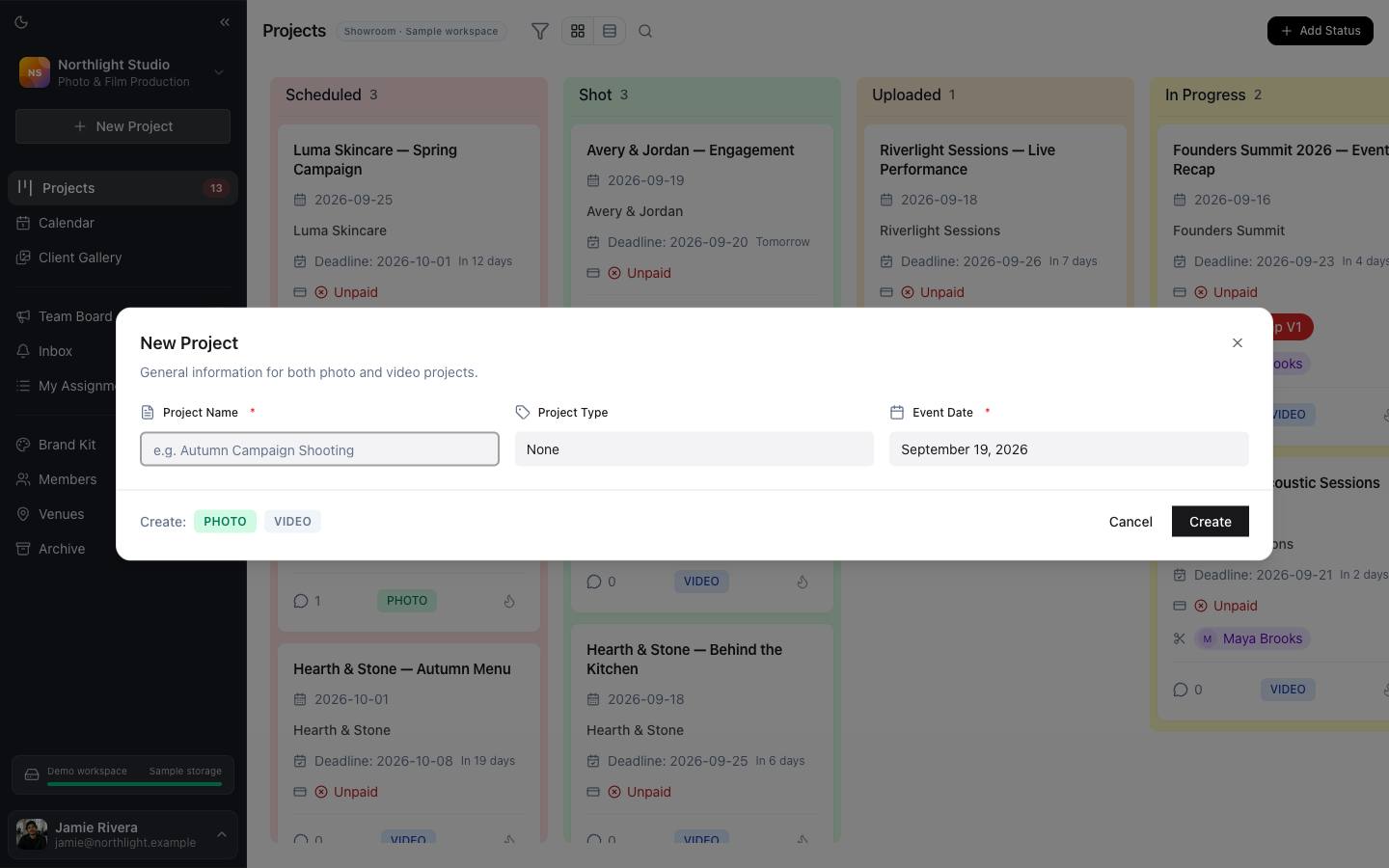 One form can create linked photo and video projects from the same booking.
A project card carries the client, event date, format, status and assigned crew. Custom stages show the production flow. Crew members receive My Assignments and can be limited to their assigned projects.
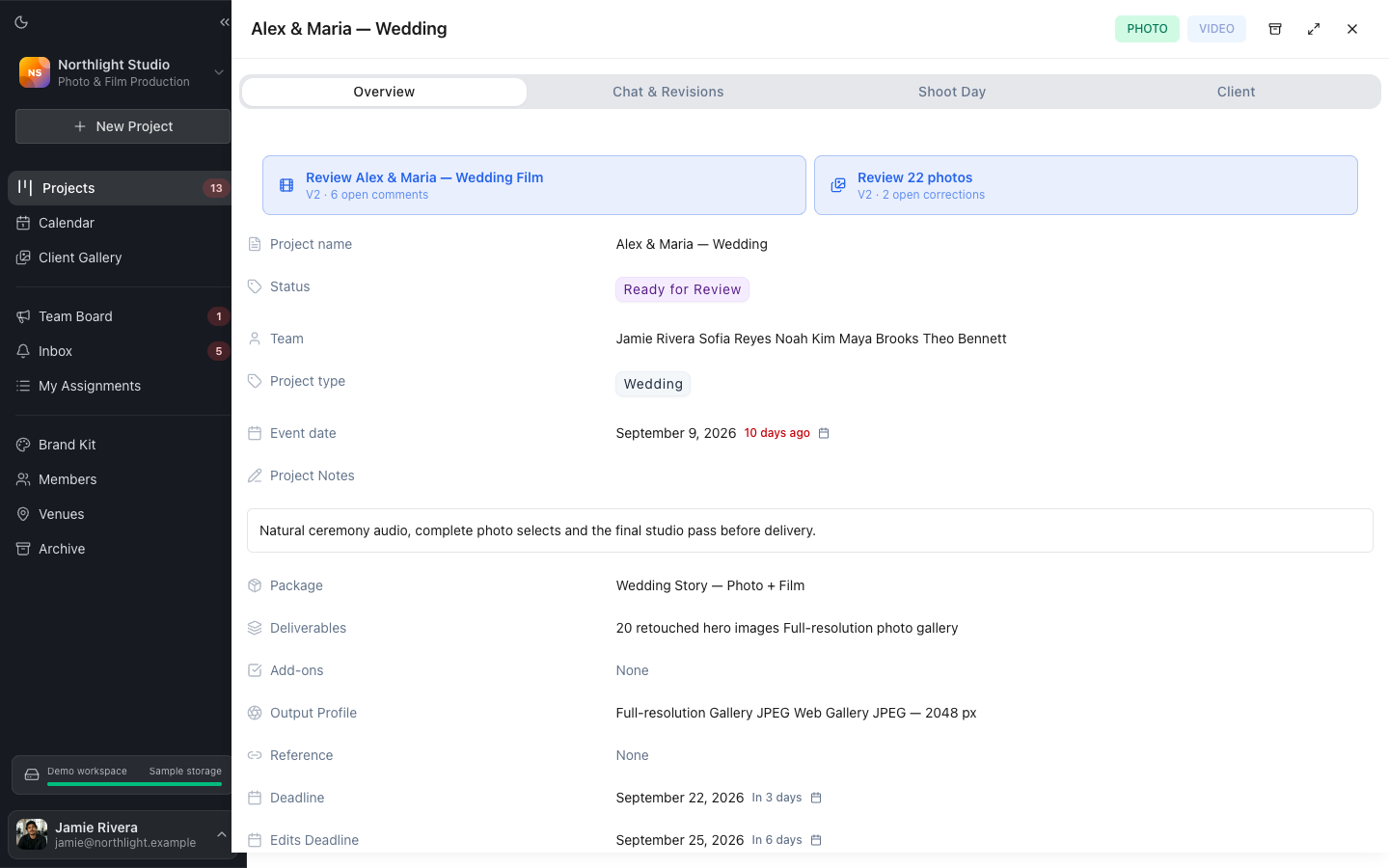 Linked projects share booking context while keeping separate production states.
Google Drive and Dropbox integrations can create folder structures from organization templates. Review Pages hold internal photo and video feedback. Client Gallery delivers finished photos and films with favorites, notes and original downloads without requiring the client to create a FlowShot account.
For a studio that keeps HoneyBook or Dubsado, a Zapier connection configured by an owner or co-owner creates the FlowShot project when a booking reaches the chosen stage. It runs one way and hands the confirmed booking into production.
FAQ
What is photography studio management software?
It is software that organizes one or more layers of a photography business: client booking, shoot production, crew, review, delivery or business administration. Vendors use the term broadly, so inspect the product’s central record and workflow.
What is the difference between a photography CRM and studio management software?
A photography CRM begins with the client relationship: enquiries, emails, packages, contracts and invoices. Production-focused studio software begins with the shoot and the work required to deliver it. Some suites combine both.
What software do most photographers use?
There is no single majority stack. Solo photographers often combine a CRM or booking tool with gallery delivery and accounting. Studios with shooters or editors may add production management and internal review.
Is there free photography studio management software?
A spreadsheet or free project board can track basic projects. Vendor free plans may add structured workflows with limits on users, projects or storage. Test export, permissions and the complete handoff before moving active client work.
How do I compare photography studio management tools?
Walk one real booking from enquiry through delivery. Test the owner and freelancer views, production dates, files, versions, review, delivery and export. Score only features that remove a current failure or paid subscription.
Should a studio use one all-in-one product?
Only when each important layer is strong enough for the team. A small deliberate stack can be better than one broad product if bookings, production, review and delivery exchange status without manual copying.
Updated
See the workflow in FlowShot ↗