
Photography studio scheduling software should answer more than “is this hour free?” A working studio calendar has to show the shoot, the assigned crew, editing and client deadlines, team events and days off without making someone copy the same date into several apps.
Generic calendars are good at meetings. Booking tools are good at reserving client slots. A production calendar has a different job: show what the studio has promised and what the team must do next.
The four layers a studio calendar needs
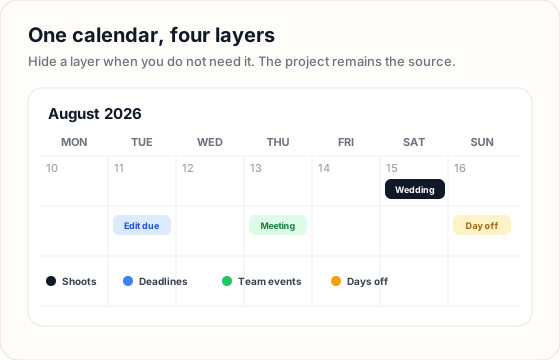 Layers keep one schedule readable for the owner, shooters and editors.
1. Shoot dates
The event date belongs to the project. When the date changes, the project and calendar should change together. A separate manually created calendar event can drift away from the booking record.
For each shoot, the calendar should expose enough context to identify the job: client or project name, format, venue or location and assigned crew. The full brief can remain inside the project.
2. Production deadlines
A wedding date is only the start of the work. The calendar also needs the dates that move delivery:
- card ingest and backup;
- editor handoff;
- first internal review;
- client review;
- photo gallery or film delivery;
- any custom milestone the studio tracks.
Show these as separate layers. A shooter checking Saturday availability does not need every editing deadline, while a producer planning the week does.
3. Team events
Meetings, rehearsals, equipment checks and training days belong on the same schedule, but they should not become fake client projects. Team events need a name, date, time and the people involved.
4. Days off and closures
A date can be open for bookings while a critical crew member is unavailable. Mark vacations, studio closures and protected days where the booking decision happens. Otherwise “available” means only that no client event has been entered yet.
Booking calendar vs production calendar
These calendars answer different questions:
| Calendar type | Primary question | Typical records |
|---|---|---|
| Client booking calendar | When can a client reserve time? | available slots, consultations, mini sessions |
| Production calendar | What has the studio promised and who owns it? | shoots, crew, edit deadlines, delivery dates |
| Personal calendar | What am I doing today? | meetings, reminders, personal events |
A booking calendar can prevent two clients from taking the same appointment. It may still say nothing about whether a second shooter, editor or room is available. For a solo photographer, that may be enough. For a photo-and-video team, crew and production dates become part of capacity.
Test scheduling software with one busy weekend
Before adopting a tool, recreate a real weekend containing:
- two weddings or events;
- different photo and video crews;
- one editor deadline;
- one team member’s day off;
- a client delivery due on Monday.
Then answer these questions without opening five records:
- Is Saturday already booked?
- Who is assigned to each job?
- Is anyone assigned twice?
- Which deadline is due before the weekend?
- Can each person see the schedule in the calendar they already check?
The useful calendar is the one that answers those questions quickly and remains accurate when the project changes.
Keep the project as the source of truth
The safest pattern is one-way ownership: production dates originate on the project, while external calendars display or synchronize them. Avoid maintaining two independent copies.
Use a consistent hierarchy:
- The project owns the shoot and deadline fields.
- The studio calendar combines projects and team events.
- Google Calendar or a private calendar feed carries selected dates to personal devices.
That structure makes a correction predictable. Change the project once instead of editing the project, the shared calendar and three crew calendars separately.
How FlowShot’s calendar works
FlowShot plots project dates, editing deadlines, client deadlines, custom date fields and team events in month and year views. Filters let the viewer choose which date layers to show.
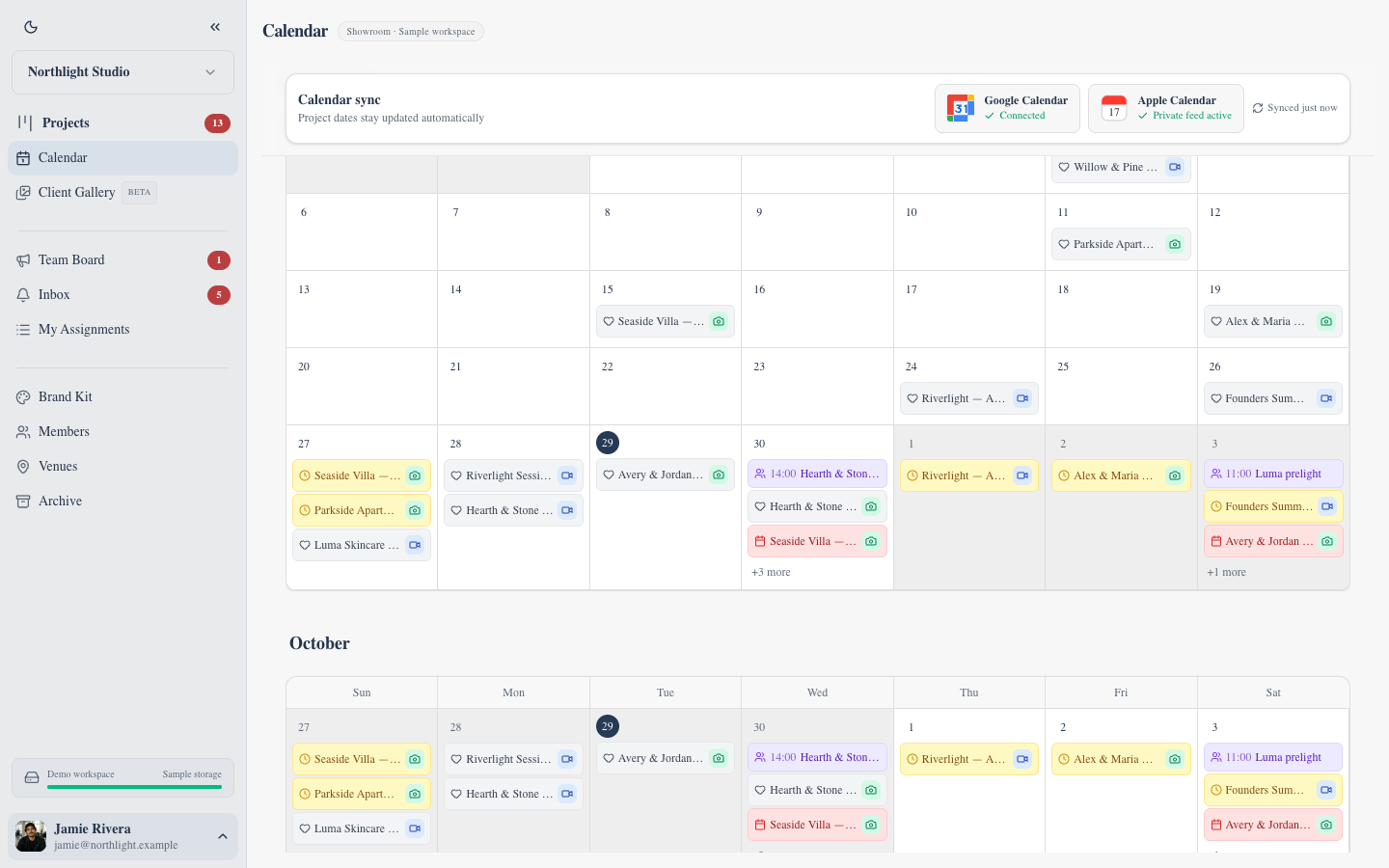 The live calendar surface shows project dates, team events and connected calendar status.
Google Calendar integration synchronizes selected FlowShot project dates and team events on paid plans. Apple Calendar and other compatible apps can subscribe through a private calendar feed. The integration keeps the production schedule visible in the calendar the crew already checks; FlowShot remains the place where the project and assignment are managed.
Photo and video from the same booking can be created as two linked projects. They share the client, event date, location and venue, then keep separate crews, statuses and deadlines. This matters when the photo gallery is delivered while the film is still in review.
A weekly scheduling routine
Monday: scan capacity
Open the next four weeks. Check shoots, internal deadlines, team events and days off. Resolve any double assignment before new work begins.
Before confirming a booking: check the production layer
Confirm the date and the people required for the package. A free date is not enough if the necessary crew is already assigned elsewhere.
After the shoot: add the next production date
Move attention from the event date to the next handoff: ingest complete, editor due or review due. The calendar should keep showing why the project matters after the shoot disappears into the past.
Friday: clean exceptions
Look for projects with a date but no owner, an owner but no next deadline, or a deadline that has passed without the status changing.
FAQ
What is the best scheduling app for a photographer?
For a solo photographer who mainly needs consultations and mini-session booking, a client scheduling tool may be enough. A studio with shooters and editors should test whether the app also shows crew assignments, production deadlines and days off beside the bookings.
Can Google Calendar manage a photography studio?
It can display the schedule, but it does not inherently know that an event is a photo project with assigned crew, an editor deadline and a delivery status. Use it as a connected display when the production record lives elsewhere.
How do I prevent double-booking photographers?
Keep shoot dates and assigned crew in the same production system. Before confirming a job, check both whether the date is occupied and whether the required people are already assigned.
Should editing deadlines appear on the studio calendar?
Yes, as a filterable layer. Producers and editors need them, while shooters checking availability may hide them. A deadline hidden inside a project record is difficult to plan across the whole studio.
Does FlowShot connect to Google and Apple Calendar?
Yes. FlowShot offers Google Calendar synchronization and a private calendar feed compatible with Apple Calendar and other subscription-capable calendar apps. Google Calendar sync and cloud-folder connections require a paid plan.
Updated
See the workflow in FlowShot ↗