
Video collaboration software covers several different jobs: editing the same project, reviewing an exported cut, approving creative work and coordinating the people around a production. Choose the wrong category and the studio adds another upload or inbox without fixing the original bottleneck.
Start with the action that currently requires a workaround. Do two editors need the same media? Do clients need a simple review link? Does the owner need to see five shoots at once? Those are separate problems.
Four kinds of video collaboration software
| Category | Primary job | Use it when |
|---|---|---|
| Communication | discuss work live or asynchronously | the problem is conversation, meetings or quick decisions |
| Collaborative editing | let editors share projects, media or timelines | more than one editor touches the cut itself |
| Review and approval | collect timestamped comments and version decisions | reviewers need to mark an exported cut |
| Production coordination | track shoots, crew, deadlines, files and review status | the studio needs visibility across many projects |
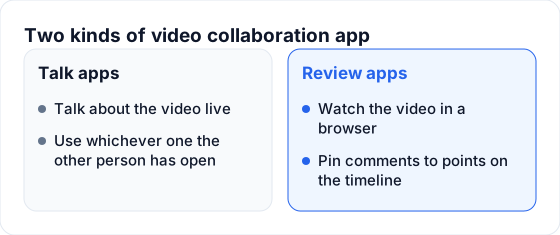 A meeting app discusses the cut; a review app attaches decisions to it.
Some products cover more than one category. Judge each one by the job it performs well in your process rather than the number of feature labels on its plan page.
When you need collaborative video editing
Choose an editing collaboration workflow when two or more editors need controlled access to the same project and media. Test:
- how project files are locked or merged;
- whether both editors can relink the same media paths;
- how proxies and originals move between locations;
- whether effects, fonts and plugins remain available;
- what happens when two people change the same sequence;
- how the project is backed up and restored.
This is a different decision from review. A producer leaving a timestamped note does not need access to the edit project. Giving every reviewer an editing environment adds complexity and risk.
When you need video review and approval
Choose a review tool when the exported cut is the thing being discussed. The minimum useful workflow includes:
- frame-accurate or timestamped comments;
- drawings or annotations;
- numbered versions;
- comments that stay on their original version;
- reviewer access that fits clients and occasional collaborators;
- a visible approval or end state.
Frame.io suits Adobe-centered creative pipelines. Wipster focuses on review and approval. Dropbox Replay fits teams already keeping media in Dropbox. Filestage and Ziflow serve structured stakeholder approvals across several file types. FlowShot connects review to studio projects, crew and delivery.
Current pricing and feature comparisons are maintained in Best Video Review Tools for Small Studios, so this guide can stay focused on choosing the right category.
When the project is larger than the video
A review tool is usually deep on one piece of content. A studio’s unit of work is often the shoot: one client, event date, crew, photo project, video project, storage and several deliverables.
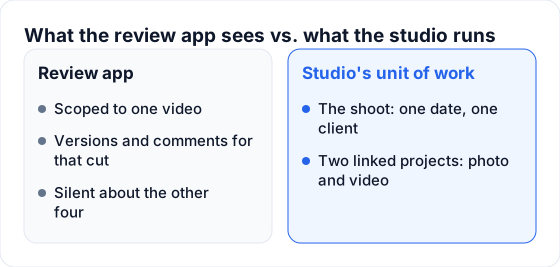 The cut needs versions; the shoot also needs crew, dates and production status.
Production coordination matters when Monday morning begins with questions such as:
- Which films are waiting for an editor?
- Who is shooting this weekend?
- Which client delivery is overdue?
- Are the photos delivered while the film remains in review?
- Where are the source folder and current cut?
A comment thread cannot answer those questions across every job. The project layer has to show status and ownership without opening each review.
Use the smallest stack that closes every handoff
Map the process before comparing vendors:
Booking → Shoot → Ingest → Edit → Internal review → Approval → Client deliveryWrite the current tool below each stage. Then mark every place where someone copies information:
- booking details retyped into a production board;
- storage link pasted into several chats;
- review notes rewritten for the editor;
- approval copied into a project status;
- final media uploaded to a separate delivery service.
The right stack removes expensive handoffs. It does not have to force every job into one application. A deliberate integration is better than an “all-in-one” system that is weak at the work the team performs every day.
Test reviewer access before counting seats
Pricing models vary: members, reviewers, storage, projects and business modules can all move the bill. Test the people, not just the feature list.
Create four roles:
- owner or producer;
- editor;
- occasional internal reviewer;
- external client or stakeholder.
For each role, check whether they need an account, a paid seat and access to the whole workspace. An external reviewer should not need the same permissions as an editor. A freelance editor should not automatically see the studio’s complete client book.
Run one real-project test
Use a representative 4K export and the actual editor or reviewer. A polished demo hides the frictions that cost time.
- Upload V1 and send the link without instructions.
- Ask for one timed note, one drawing and one decision.
- Upload V2 as a new version of the same deliverable.
- Confirm that V1 comments remain understandable.
- Check how the editor receives and resolves the queue.
- Find the project again from a phone the next morning.
- Calculate the cost with the busiest month’s team and storage.
The winner is the tool that closes the loop with the fewest manual transfers.
What FlowShot adds for a photo and video studio
FlowShot combines the production-coordination layer with internal photo and video review. Each project is a card with the client, event date, status and assigned crew. Photo and video from the same booking can be created as linked projects with separate teams and deadlines.
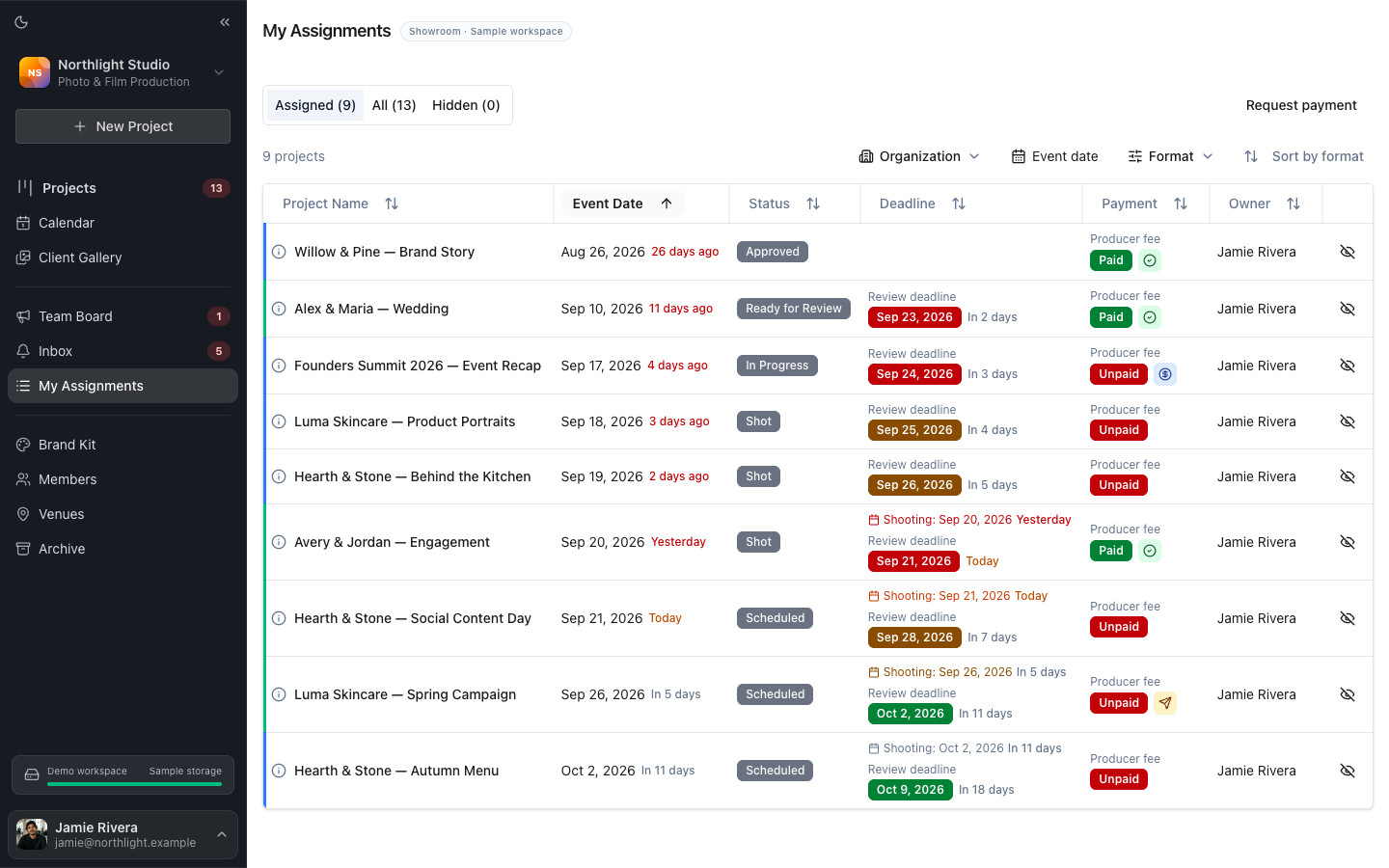 Each crew member gets a focused list of the projects assigned to them.
Review Pages hold timestamped comments, drawings and numbered versions for signed-in workspace members. Two versions can be compared while the earlier comments stay attached to the cut on which they were written.
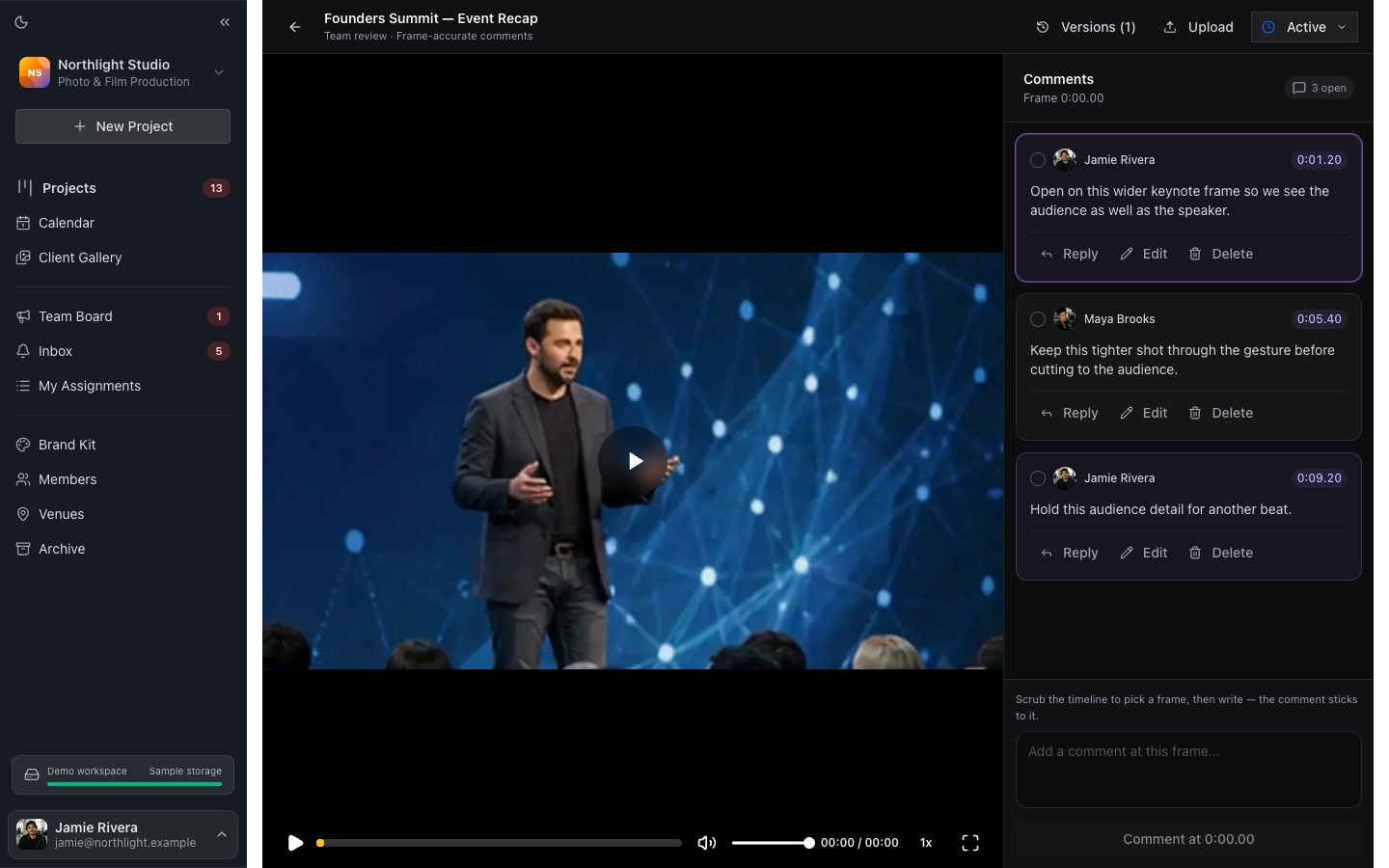 The review surface keeps the cut, version and comment queue together.
Project chat holds decisions that apply to the shoot rather than one frame. Storage links, deadlines and assignments remain with the project instead of being reconstructed from several message threads.
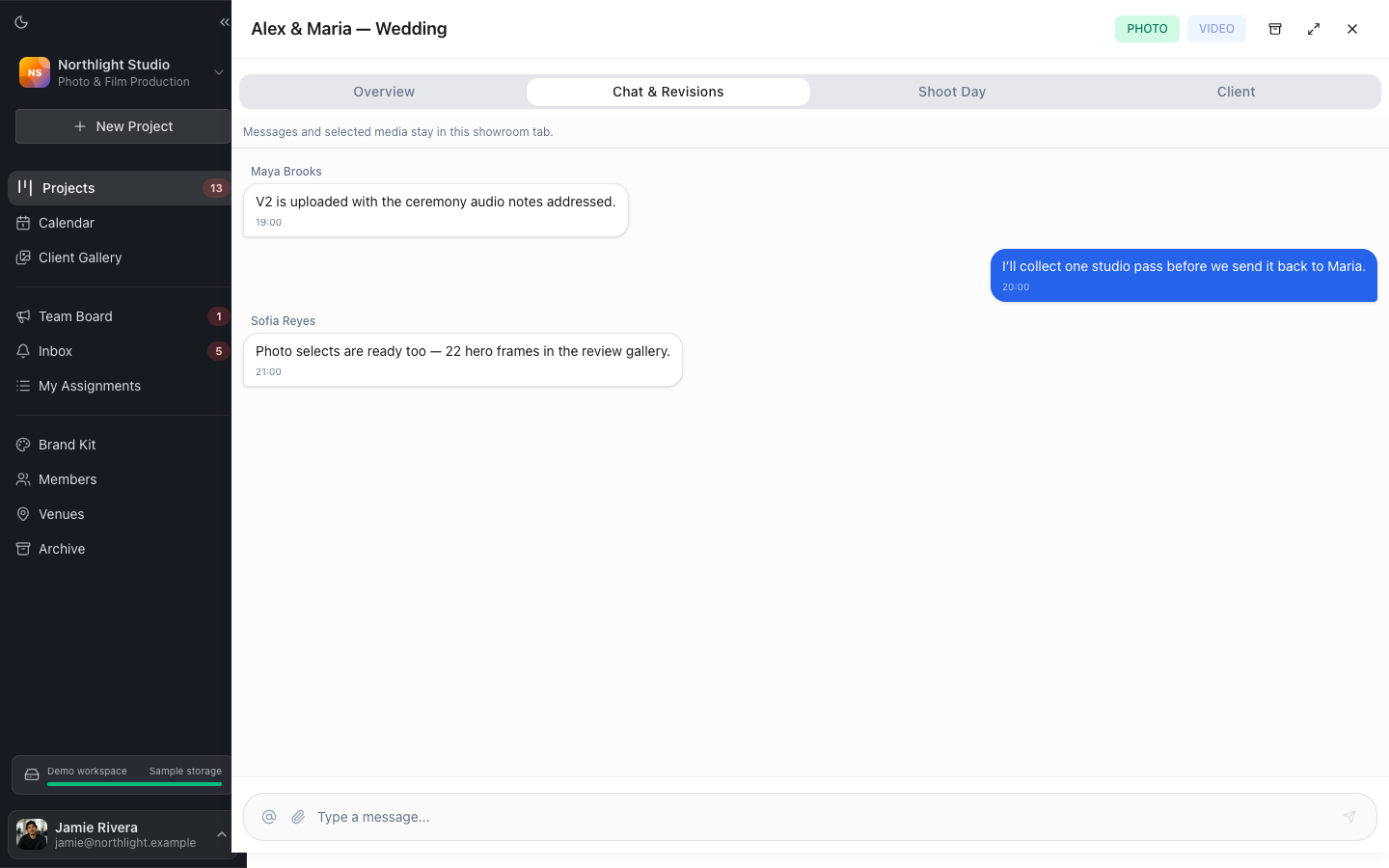 Project chat carries production context; frame-specific notes stay on the cut.
After approval, finished photos and films can move to a private Client Gallery. The editing app continues to hold the timeline; FlowShot holds the shoot, people, review and client-facing result.
FAQ
What is the best software for collaborative video editing?
The answer depends on the editing application, storage model and number of editors. Test how the system handles shared media, project conflicts, proxies, plugins and backups. Review-only users usually need a separate browser workflow rather than access to the editing project.
What is the best video collaboration software for client feedback?
Shortlist tools built for review and approval, then test account requirements, comments, drawings, versions and approval with a real client. Frame.io, Wipster, Dropbox Replay, Filestage, Ziflow and FlowShot serve different combinations of those needs.
Is video collaboration software the same as project management?
No. Review collaboration is deep on a cut. Project management tracks the shoot, crew, due dates, storage and status across many cuts and clients. Some products connect both layers.
Can video collaboration software replace cloud storage?
Usually not. Review tools may store viewing copies, while the studio still needs an archive or production storage system for camera originals, project files and masters. Check storage limits and export access before moving a workflow.
Is there free video collaboration software?
Several review and project products offer free entry plans, but the limits vary by storage, projects, users and history. Test a complete review round and confirm what remains accessible if the studio does not upgrade.
Updated
See the workflow in FlowShot ↗