
A client gallery for photographers should make finished work easy to view, protect and download without forcing the client to understand the studio’s file system. The best choice depends on whether the business needs proofing, print sales, photo-and-video delivery, long-term storage or a production workflow connected to the gallery.
Do not choose from a marketing feature list alone. Publish one real session, open it on a phone as the client and test the entire path from delivery email to download.
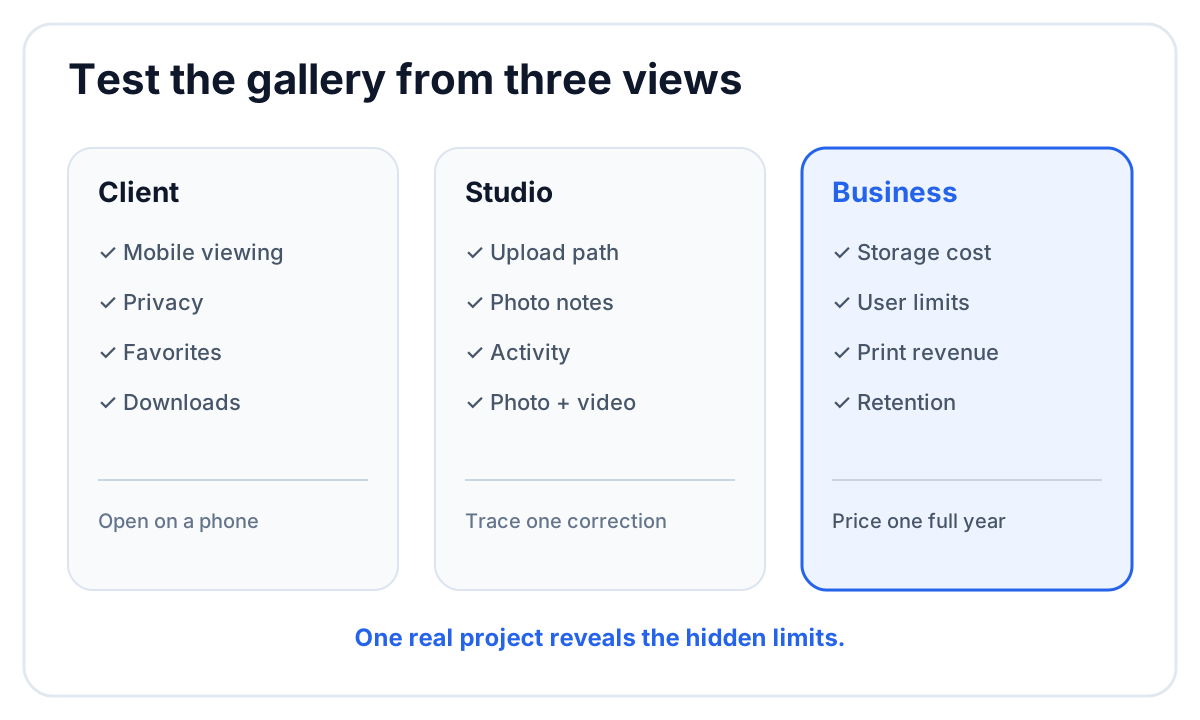 Evaluate the gallery as a client, a photographer and the person who pays for storage.
Client gallery checklist
| Area | What to test |
|---|---|
| Presentation | cover, chapters, image order and mobile layout |
| Quality | original download matches the approved export |
| Privacy | unlisted access, password and download protection |
| Client actions | favorites, notes, sharing and clear downloads |
| Video | playback and delivery beside the photographs |
| Studio workflow | upload, review handoff, activity and archive |
| Cost | storage, users, video limits, commissions and add-ons |
The details below turn those areas into a practical trial.
1. Mobile viewing that preserves the story
Many clients open the link on a phone first. Check how quickly the cover appears, whether portrait and landscape photographs remain readable, and whether a long wedding can be divided into clear chapters.
A responsive grid is necessary but not sufficient. The interface should keep the client oriented: where they are, how to move between sections and what they can download.
2. Original-quality downloads
Upload an approved JPEG, download it through the client view and compare the file. Confirm the dimensions, color profile and metadata behavior expected by the studio. If the service offers several sizes, check whether the labels make sense to a non-photographer.
Preview optimization is normal. It should not silently replace the client deliverable.
3. Clear privacy controls
An unlisted address is different from authentication. Decide which jobs require:
- an unlisted link;
- a password to view;
- a separate PIN or control for downloads;
- named client verification for comments;
- an automatic closing date.
Open the link in a private browser window. This reveals what a guest can actually see without relying on the logged-in photographer view.
4. Favorites the client can understand
Favorites can support album selection, retouching choices or a personal shortlist. Test how a client marks an image, finds the saved selection later and communicates that selection to the studio.
Define the meaning before sending the gallery. “Heart the photographs you love” and “select exactly 40 photographs for retouching” are different tasks and need different instructions.
5. Photo notes and proofing
If the client can leave a note, confirm where it lands. A useful note remains attached to the exact photograph and reaches the person who can act on it. A generic gallery message that must be copied into the editing system merely moves the email thread.
For unfinished selection work, read our online photo proofing workflow. Proofing and final delivery may use the same interface, but they are different stages.
6. Photo and video in one delivery
Photo-and-video studios should test a complete wedding, not a photo-only sample. Check whether films play in the same client space, whether their original files can be downloaded and whether the gallery keeps the photo story easy to browse.
 A combined gallery should make the film feel like part of the same delivery.
If video delivery is an add-on, calculate the real storage and playback allowance rather than assuming the photo plan covers it.
7. Branding that helps rather than delays
Useful branding includes the studio name or logo, a coherent type and color treatment, and a cover that fits the work. It should take minutes to apply from a preset.
Custom domains are helpful for some studios, but they are not the same as good presentation. If a branded domain is required, verify it explicitly during the trial; many services reserve it for certain plans. FlowShot includes one custom gallery domain per organization on paid plans, while Free and Trial use a FlowShot address.
8. Download controls the client can explain back
Ask someone outside the studio to open the sample gallery and download one photograph, a chapter and the full delivery. Note where they hesitate.
Confirm whether protection applies to viewing, downloading or both. If the gallery uses a PIN, include it beside the link rather than making the client search a second message.
9. Gallery activity
Activity can answer operational questions:
- Has the client opened the gallery?
- Were files downloaded?
- Which images were favorited?
- Did the client leave a note?
Use activity to support the workflow, not to create intrusive client surveillance. The practical value is knowing whether a delivery reached the client and whether action is waiting.
10. Closing and retention
Check whether a closing date hides the gallery or deletes its media. Those are materially different behaviors. Confirm whether reminder emails can be sent before closing and what happens when the studio reopens the gallery.
The client gallery is not the studio archive. Keep approved masters according to a separate retention and backup policy.
11. Print sales and product fulfillment
For portrait and wedding photographers who earn from prints and albums, the store may be the deciding feature. Compare supported labs, product catalog, regional availability, commissions, coupons, sales automation and who handles support when an order fails.
FlowShot currently has no print store. Studios that depend on automated print sales should keep a specialized gallery or storefront in the shortlist.
12. The production work before delivery
Some galleries begin at upload. Others connect to booking, editing or internal review. Map the actual studio handoff:
- Where are photographs reviewed internally?
- How does an approved image reach the gallery?
- Does publishing create another storage copy?
- Where do client notes go?
- Can the editor see the original note beside the image?
The answer determines whether the gallery removes work or adds another surface to maintain.
How FlowShot Client Gallery fits
FlowShot is built for photo and video teams that want production, internal review and final delivery connected. A gallery can contain photo chapters and films under one private, unlisted link. The studio can add a view password, download PIN, logo watermark, closing date and reminders. Clients can view without a FlowShot account, heart photographs, leave notes when enabled and download original files.
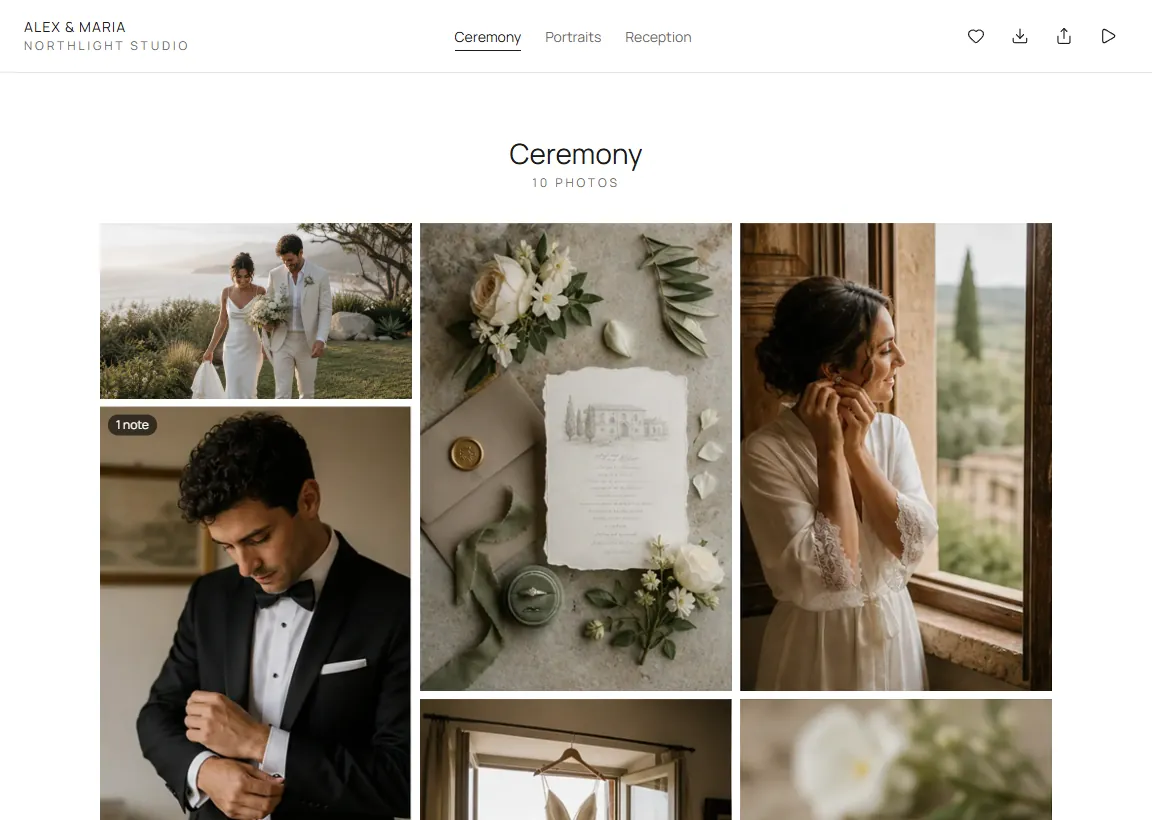 The client view keeps the photo story and the available actions in one place.
FlowShot does not currently include a print store or website builder. Paid plans include one custom gallery domain per organization. It is strongest when several people schedule, shoot, edit, review and deliver the same project. Compare that fit with the broader market in our Pixieset alternatives guide.
A 20-minute client gallery trial
- Upload 40 photographs with mixed orientations.
- Create at least three chapters.
- Add one film if the studio sells video.
- Turn on the privacy controls you would use for a real client.
- Open the link on a phone in a private window.
- Favorite three photographs and leave one note.
- Download one photograph and the full set.
- Check what the studio sees in activity or review.
- Calculate the plan cost at the studio’s real annual volume.
That test reveals more than comparing screenshots of dashboards.
FAQ
What is a client gallery for photographers?
A client gallery is a private or unlisted web experience for presenting, sharing and downloading finished photographs. Many galleries also support favorites, proofing, print sales, video or client notes.
What is the best client gallery for photographers?
The best gallery is the one that matches the studio’s revenue and workflow. Print-led studios should test the store first. Photo-and-video teams should test combined delivery, internal review handoff and video limits.
Are free client galleries good enough for professional work?
They can be suitable for a small number of projects, but compare storage, branding, expiry, video, download protection and any commission or watermark rules before using one for paid work.
Do clients need an account to view a gallery?
That depends on the service. FlowShot clients can open the private gallery without creating a FlowShot account. Some actions, such as leaving a note, may ask the client to verify their identity.
Can a client gallery replace cloud storage?
No. A gallery presents approved work to clients. Production storage and backup protect originals, project files and masters. Use each system for its intended stage.