Online photo proofing is the process of showing a client a curated set so they can select photographs, request specific corrections or approve the work before final delivery. A useful proofing round has one purpose, a clear deadline and a visible completion rule.
Problems start when “choose your favorites,” “tell us what to retouch” and “approve the gallery” are treated as the same request. The client does not know whether a heart is personal, contractual or final.
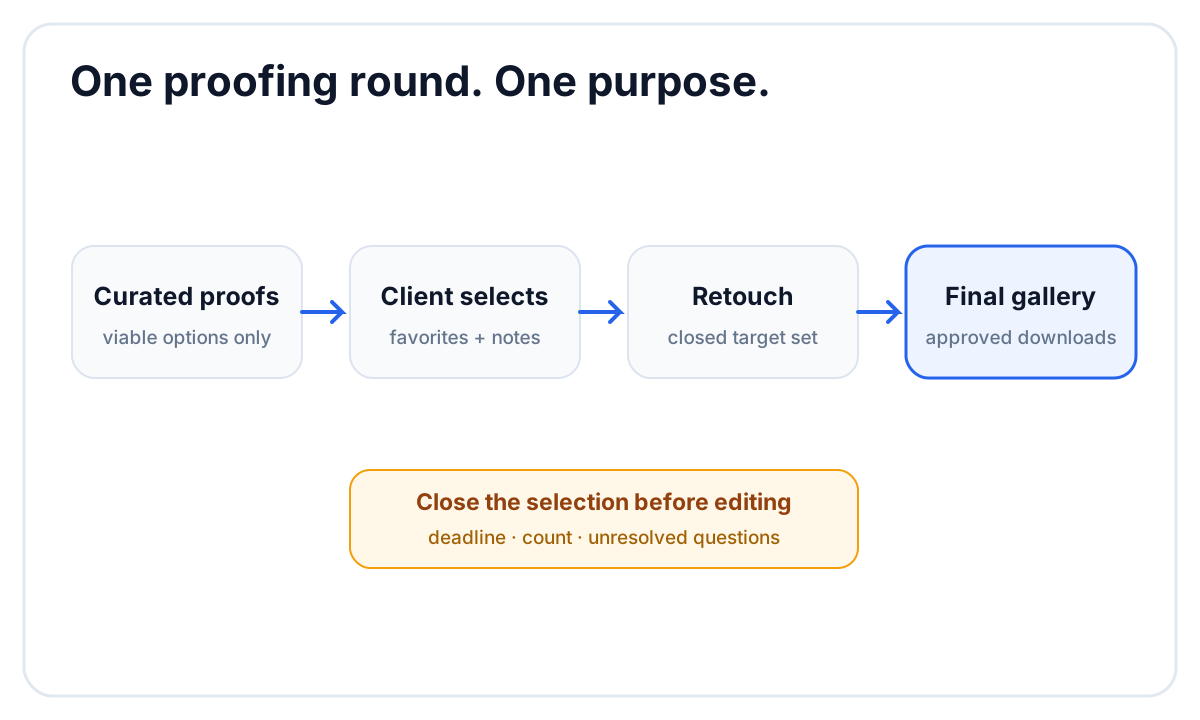 Close the selection round before retouching so the target set stops changing.
Photo proofing, review and delivery are different
| Stage | Main question | Client action | Output |
|---|---|---|---|
| Proofing | Which photographs move forward? | favorite or select | closed selection |
| Correction review | What should change? | note on an image | resolved correction list |
| Approval | Is this result accepted? | approve or confirm | approved set |
| Delivery | How does the client receive it? | view, share, download | final gallery |
One interface can support several stages, but the message sent to the client should name the current one.
1. Curate before the client sees the set
Proofing is not an excuse to upload every frame. Remove test exposures, technical failures, accidental duplicates and photographs that do not meet the studio standard. The client should choose between viable options, not perform the first cull.
For a portrait session, the proof set may be larger than the purchased image count. For a wedding, the studio may do the complete creative selection internally and use proofing only for album choices or a small retouching decision.
2. Define the selection rule
Tell the client exactly what a favorite means. Examples:
- “Choose 20 photographs for final retouching.”
- “Heart any photographs you want included in the album draft.”
- “Use a note only when a specific correction is needed.”
- “This gallery is final; hearts are your personal shortlist and do not change delivery.”
If there is a limit, show it in the instructions and contract. Do not introduce an unexpected per-image charge after the client has completed the selection.
3. Keep filenames and image context stable
The proofing system should keep each favorite and note attached to the exact photograph. Avoid asking clients to email a list of filenames copied from a slideshow. One typo can point to the wrong image, and mobile clients may not see filenames at all.
Do not replace images in a way that silently moves comments to another file. If the proof and retouched version are connected, confirm how the service displays that relationship.
4. Use notes for actions, not general taste
An image note should describe a change the editor can evaluate:
- “Please soften the temporary mark on the left sleeve.”
- “Can this crop include the full bouquet?”
- “Please remove the exit sign behind us.”
“I don’t like this one” is a valid preference when the client is selecting. It is not a usable retouching instruction. Separate selection from correction so the client does not feel required to justify every favorite.
5. Set a deadline and close the round
Without a deadline, the selection can change while the editor is retouching. Give the client enough time to review on more than one device, then state what happens next.
A practical message is:
Please select up to 30 photographs by Friday, October 9. We begin final retouching after the selection closes. Changes after that date may move the delivery deadline.
Send one reminder before the deadline. If two people must agree, ask them to complete one shared selection rather than submitting conflicting lists.
6. Export the closed selection to editing
The editor needs a deterministic list. Depending on the system, that may be copied filenames, a Lightroom-compatible selection or an internal review queue.
Before editing, record:
- the number of selected images;
- the time the round closed;
- any images with paid extra retouching;
- unresolved questions;
- the target delivery date.
If the client changes the list, reopen the round deliberately instead of editing from a moving target.
7. Deliver a clean final gallery
Do not leave proofing language on the final delivery. Remove temporary watermarks if applicable, confirm that downloads contain the approved exports and update the instructions from “select” to “view and download.”
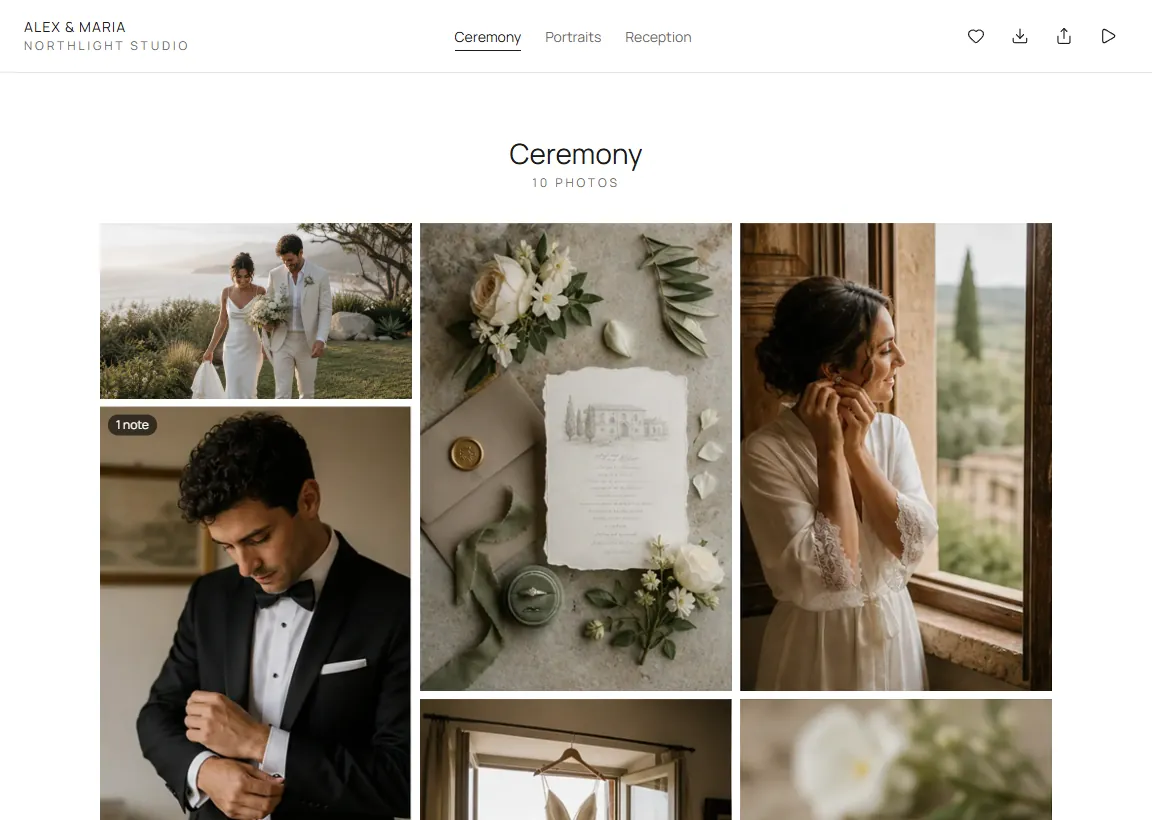 The same client-facing surface can support a clear note or favorite, while the message defines the stage.
If the service separates proofs and final galleries, keep the proof link available only as long as the contract and correction history require.
A photo proofing message template
Subject: Your photo selection is ready
Message:
Your proof gallery is ready at the link below. Please choose up to [number] photographs by [date]. Heart a photograph to add it to the selection. If one selected photograph needs a specific retouching change, leave the instruction on that image.
After the selection closes, we will complete the final edit and send a new delivery message. The photographs in this proof gallery are not yet the final downloads.
How FlowShot can support proofing and corrections
FlowShot Client Gallery lets clients heart photographs and, when notes are enabled, attach a note to a specific photo. A verified photo note can appear in the project’s internal photo review, where the studio can reply and resolve the work. The gallery can later present the approved originals for download.
FlowShot does not currently enforce a contractual favorite limit or sell extra images through a print store. If the package includes a fixed number of selections, state the limit in the message and verify the count before closing the round.
For the full production context, connect proofing to the photography workflow. To compare delivery surfaces, use the client gallery checklist.
FAQ
What is online photo proofing?
Online photo proofing lets a client review a curated set in a web gallery, select favorites and sometimes leave image-specific notes before final retouching or delivery.
Should photographers send unedited photos for proofing?
Send a curated proof set that represents work you are willing to finish. Remove technical failures and duplicates. The amount of preliminary color or exposure work depends on the studio’s style and what the contract promises.
How many photos should a client proof?
Show enough strong options to fulfill the package without creating unnecessary decision fatigue. The right number varies by session type. State both the proof-set size and the number the client may select.
Are favorites the same as approval?
No. A favorite can mean a personal shortlist, an album choice or a contractual selection. Approval means the client accepts the result. Define the action in the delivery message.
Can photo proofing happen in a client gallery?
Yes, when the gallery supports favorites or image-specific notes. Keep the proofing instructions and deadline separate from the final delivery instructions.