A photography workflow is the repeatable path a job follows from inquiry to archive. A useful workflow defines the current stage, the person responsible, the next date and the files that count as approved. It covers the business and production work around editing—not only what happens inside Lightroom or Capture One.
For a small studio, the goal is not more steps. The goal is to make every handoff visible so that a booked shoot cannot disappear between an email thread, a calendar and a hard drive.
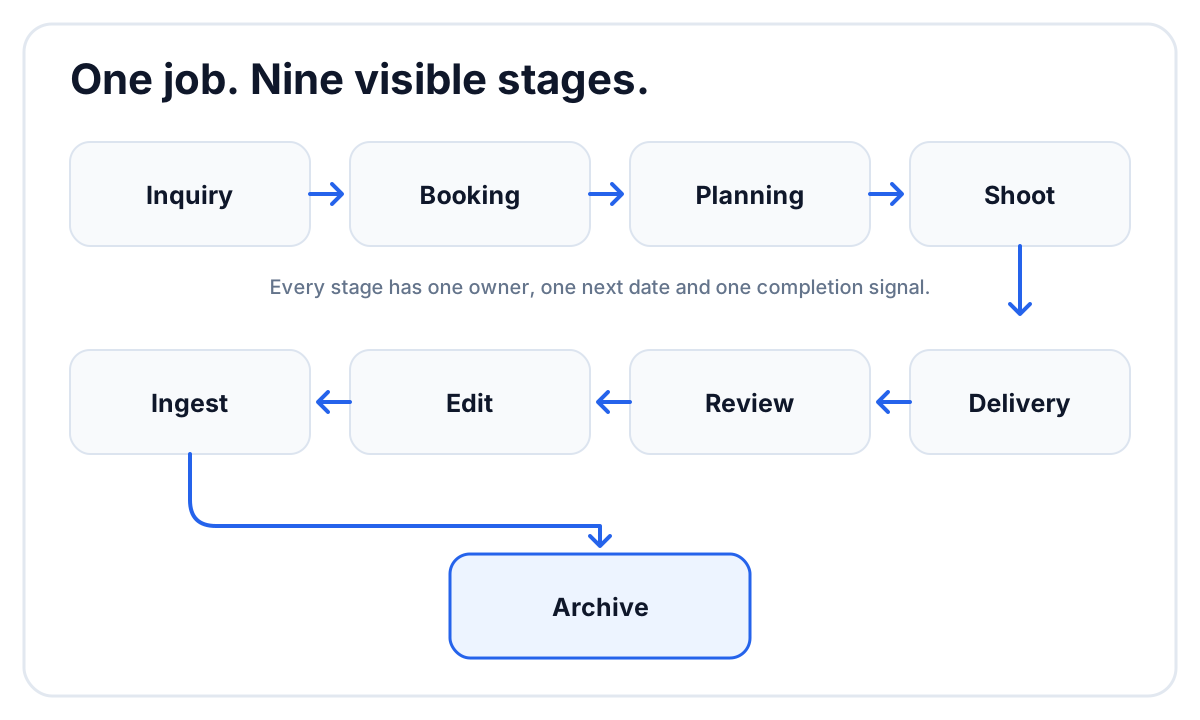 The client journey and the production workflow meet at booking, then separate again at final delivery.
The photography workflow at a glance
| Stage | Output | Owner | Completion signal |
|---|---|---|---|
| Inquiry | qualified opportunity | owner or sales lead | scope and date confirmed |
| Booking | signed scope and payment plan | owner | project created |
| Planning | questionnaire, timeline and crew | producer | shoot brief approved |
| Shoot | captured media | lead photographer | cards accounted for |
| Ingest | verified working copies | ingest lead | backup rule satisfied |
| Edit | selected and edited photographs | editor | edit ready for review |
| Review | approved image set | studio approver | corrections resolved |
| Delivery | private client gallery | producer | client notified |
| Archive | retained project package | studio owner | retention policy applied |
The exact names can change. The completion signals should not. “Editing” is a weak status if nobody knows whether the photographer is culling, color-correcting or waiting for an internal decision.
1. Qualify the inquiry before creating production work
Collect only what is needed to decide whether the job fits:
- event or session type;
- date and location;
- expected coverage;
- photo, video or both;
- decision-maker and contact details;
- approximate budget or package interest.
Do not request the full wedding timeline from every lead. Detailed questionnaires belong after booking, when the client has context and the studio has committed to the job.
2. Turn the booking into one project record
When the client books, create the production record that will hold the shoot date, team, files, deadlines and current stage. This is where a CRM handoff often fails: the booking is complete, but the production team receives a forwarded email and builds its own version of the job.
At minimum, transfer:
- client and project name;
- shoot date and location;
- package or deliverables;
- agreed turnaround;
- payment state relevant to production;
- primary client contact.
If photo and video have different crews and deadlines, create linked production records rather than forcing both through one status.
3. Collect the brief with a structured questionnaire
A questionnaire converts client knowledge into fields the team can use. For a wedding, include the day timeline, family groupings, access restrictions, must-have photographs, sensitive relationships and the people who can answer questions on the day.
Keep open-ended questions for story and priorities. Use structured choices where the answer drives a decision. A single “tell us about your wedding” box may feel friendly, but it makes the producer extract dates, names and constraints manually.
Our wedding photography questionnaire template provides a complete set of questions and explains when to send it.
4. Put the shoot and production dates on the same calendar
The event date is only one deadline. Add the dates that move the project:
- questionnaire due;
- final planning call;
- card ingest and backup;
- first edit or cull;
- internal review;
- client gallery delivery;
- gallery closing or archive review.
A shared photography studio calendar should show these dates beside team events and days off. The project remains the source of truth; external calendars display the dates people need to see.
5. Assign the shoot by role
“Team assigned” is too vague for a photo-and-video booking. Record the lead photographer, second photographer, videographer, assistant and editor separately. Role-based assignments answer three different questions:
- Who must be present?
- Who owns the media after the shoot?
- Who makes the final creative decision?
Each person should see the projects assigned to them without gaining access to unrelated clients, billing or organization settings.
6. Ingest and verify before editing
The first post-shoot step is control, not creativity. Account for every card and recorder, copy the files according to the studio’s backup policy and verify that the working copies open before formatting source media.
Use consistent source folders and preserve card boundaries when filenames may repeat. Mark ingest complete only when the agreed copies exist. A folder named “backup” on the same physical device is not a second copy.
7. Separate editing from studio approval
Editing creates a candidate result. Review decides whether it is ready for the client. Keep those stages separate even when one person performs both roles.
A practical internal photo review should let the approver:
- view the selected set in sequence;
- attach a note or drawing to the exact image;
- see which comments remain unresolved;
- approve the set before delivery.
The separation prevents half-finished exports from reaching the client simply because they are the newest files in a folder.
8. Deliver through one client-facing gallery
Publish the approved photographs in the order the client should experience them. For an event, use chapters such as Getting Ready, Ceremony, Portraits and Reception. Confirm the cover, privacy controls, download behavior and closing date before sending.
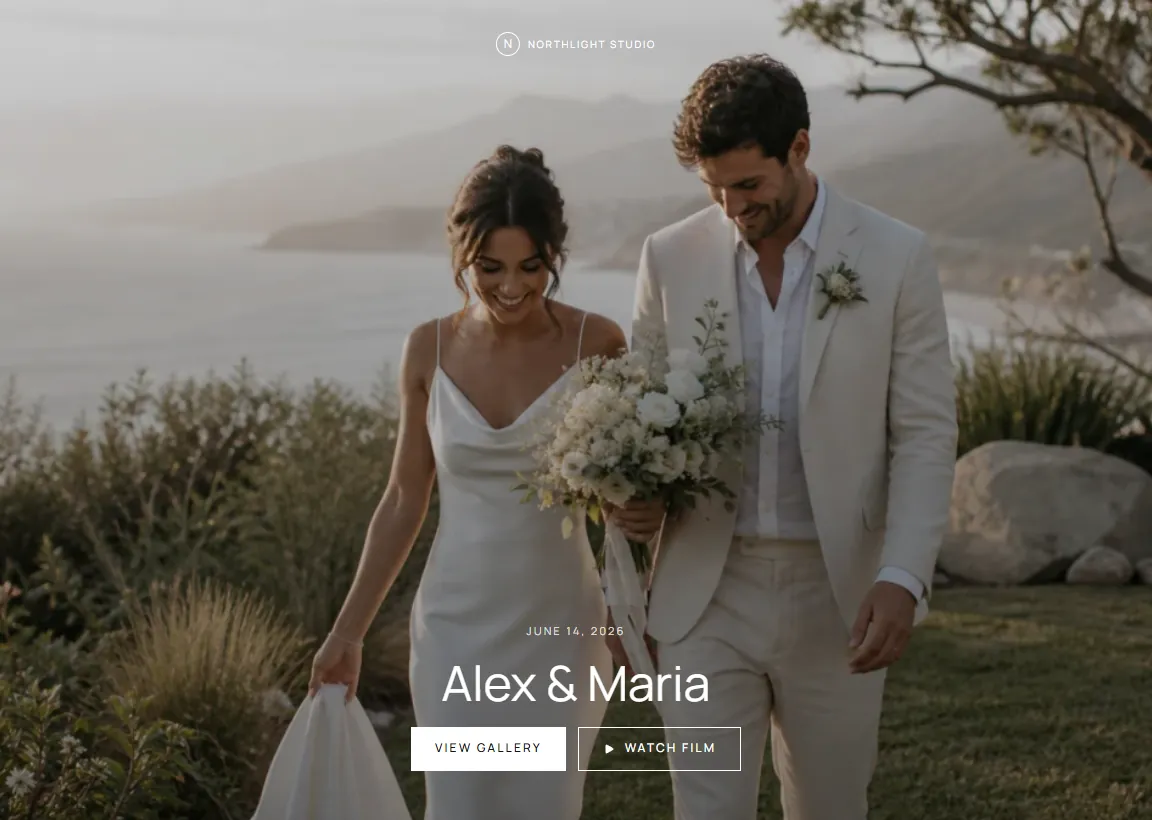 The delivery layer contains the finished work; internal review stays with the production project.
If the project includes films, place them beside the photos when the gallery supports both. Read the best ways to send photos to clients for a comparison of galleries, cloud folders, transfer links and email.
9. Close the job without losing the history
Project closure should be an explicit step. Confirm:
- the client received the delivery message;
- required approvals or payments are recorded;
- the gallery availability period is clear;
- project files and masters follow the retention policy;
- temporary exports and duplicate uploads can be removed safely;
- the workflow has no unresolved task hidden in chat.
Archive the project record after the operational work is finished. The studio may still retain the client, contract and final deliverables according to its policy.
What to automate in a photography workflow
Automate deterministic actions:
- create standard project folders;
- add known dates to a calendar;
- apply a project checklist;
- notify an assigned person;
- send a gallery-closing reminder;
- move a project when a clear trigger occurs.
Keep judgment with a person:
- whether an inquiry fits the studio;
- whether the story is complete;
- whether edits meet the brand standard;
- whether conflicting client requests should be accepted;
- whether a final set is ready to publish.
Automation should remove copying. It should not hide decisions.
How FlowShot supports the workflow
FlowShot connects the production stages around a photo or video project: a customizable board, role-based crew assignments, project dates and deadlines, questionnaires, cloud-storage links, internal photo and video review, and final Client Gallery delivery. Photo and video projects from the same booking can remain linked while using separate teams and statuses.
On Solo and up, FlowShot CRM covers the inquiry and booking stages too: an inquiry form, a leads board, and one document with the quote, contract and payment plan that the client signs online. When the client books, FlowShot creates the project with the client, date and venue already filled in, so the production team does not start from a forwarded email.
The useful test is whether the studio can answer four questions from the project: Where is it now? Who owns the next step? What date matters next? Which files are approved?
FAQ
What is a photography workflow?
A photography workflow is the repeatable sequence a job follows from inquiry and booking through planning, shooting, backup, editing, review, delivery and archive. It defines both the work and the handoffs between people.
What are the main stages of a wedding photography workflow?
The core stages are inquiry, booking, planning, shoot, ingest and backup, edit, studio review, client delivery and archive. Studios can add more detailed statuses where a handoff or decision requires its own owner.
What is photography workflow software?
Photography workflow software tracks projects, stages, assignments, deadlines and files across the studio. Editing software changes images; workflow software coordinates the people and decisions around the edit.
Should a CRM manage the full photography workflow?
A CRM is strongest at leads, clients, contracts and payments. It can also track jobs, but a studio with multiple shooters and editors may need deeper production assignments, internal review and delivery. Evaluate the complete handoff rather than the product category name.
How do I improve a photography workflow?
Choose one real project and document every place information is copied. Replace duplicate entry with one source of truth, give each stage a completion signal and make the next owner and date visible.