
Video production project management connects the shoot, the people, the files and the decisions that move a cut to delivery. A task list can say “edit film.” A production system should also show which job, which editor, which version, which review round and which deadline.
For a photo-and-video studio, the project is the shoot. Files and deliverables belong to it; they are not the project by themselves.
A video production workflow from booking to delivery
Use stages that describe observable changes:
- Booked: client, scope, event date and location are confirmed.
- Crew assigned: shooters and production roles know the date and call information.
- Shot: production day is complete.
- Ingested: source media is copied, verified and linked to the project.
- In edit: one editor owns the current deliverable and deadline.
- Ready for review: a numbered cut is available to the internal team.
- Revisions: one closed feedback list is being applied.
- Approved: the studio has recorded the decision on a specific version.
- Delivered: finished media is available to the client.
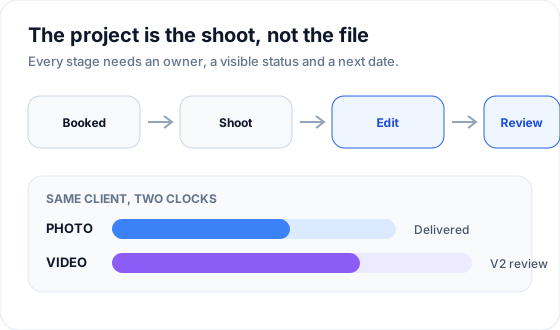 Photo and video can share a booking while moving on separate production clocks.
The exact labels can change. The rule is that two people should interpret a status the same way. “In progress” is too vague unless the team agrees what must be true before a project enters and leaves it.
What video project management software must track
Projects, not only tasks
One project record should connect:
- client and event information;
- production type and deliverables;
- assigned crew and editor;
- source folders and important links;
- current status and next deadline;
- internal review versions;
- final delivery state.
A task may belong to the project, but it should not become the only place the production status exists.
Crew and permissions
The owner needs the portfolio view. A shooter or freelance editor needs the projects assigned to them. Test whether access can be limited without hiding the context required to do the work.
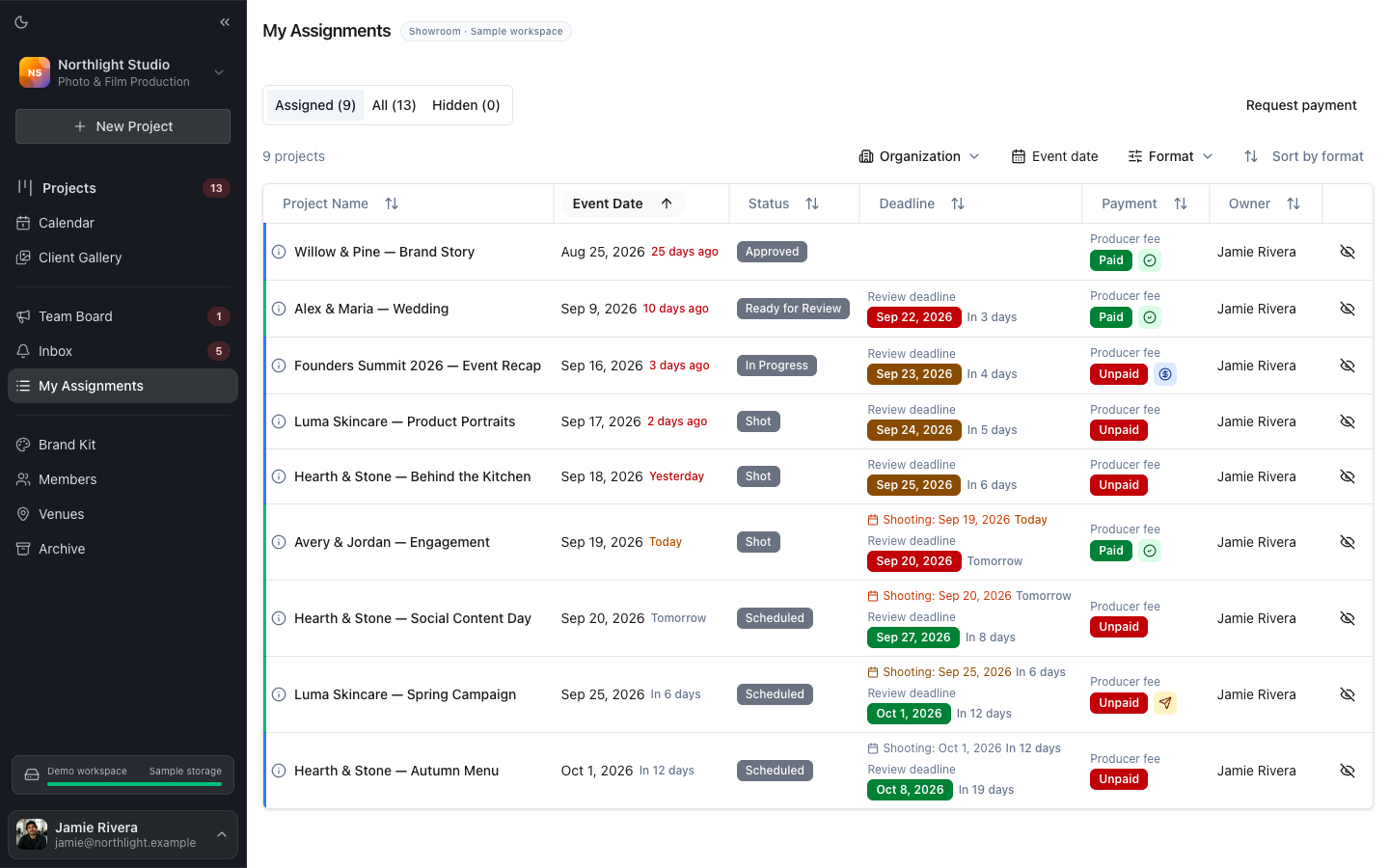 A focused assignment view helps crew find their next shoot or edit without scanning the owner’s board.
Files and storage links
Video files are too large and too structured to treat as ordinary task attachments. Keep the production storage provider, folder path and ingest status with the project. Define whether the project links to originals, proxies, the NLE project, review exports or all four.
For a practical structure, use the wedding videography folder template.
Review versions and decisions
Every review note should belong to the version on which it was written. The system should distinguish V1 from V2, open from resolved comments, and a current review from an approved cut.
Deadlines after the shoot
The event date is visible because the studio cannot move it. Post-production dates often become invisible: ingest complete, editor due, review due and delivery due. Put them on the same production calendar so the work remains schedulable after the shoot.
Use a board to see flow and a calendar to see capacity
These views answer different questions:
| View | Best question |
|---|---|
| Project board | Where is every production right now? |
| Calendar | What happens next and when? |
| My Assignments | What does this crew member own? |
| Review queue | Which notes block the next version? |
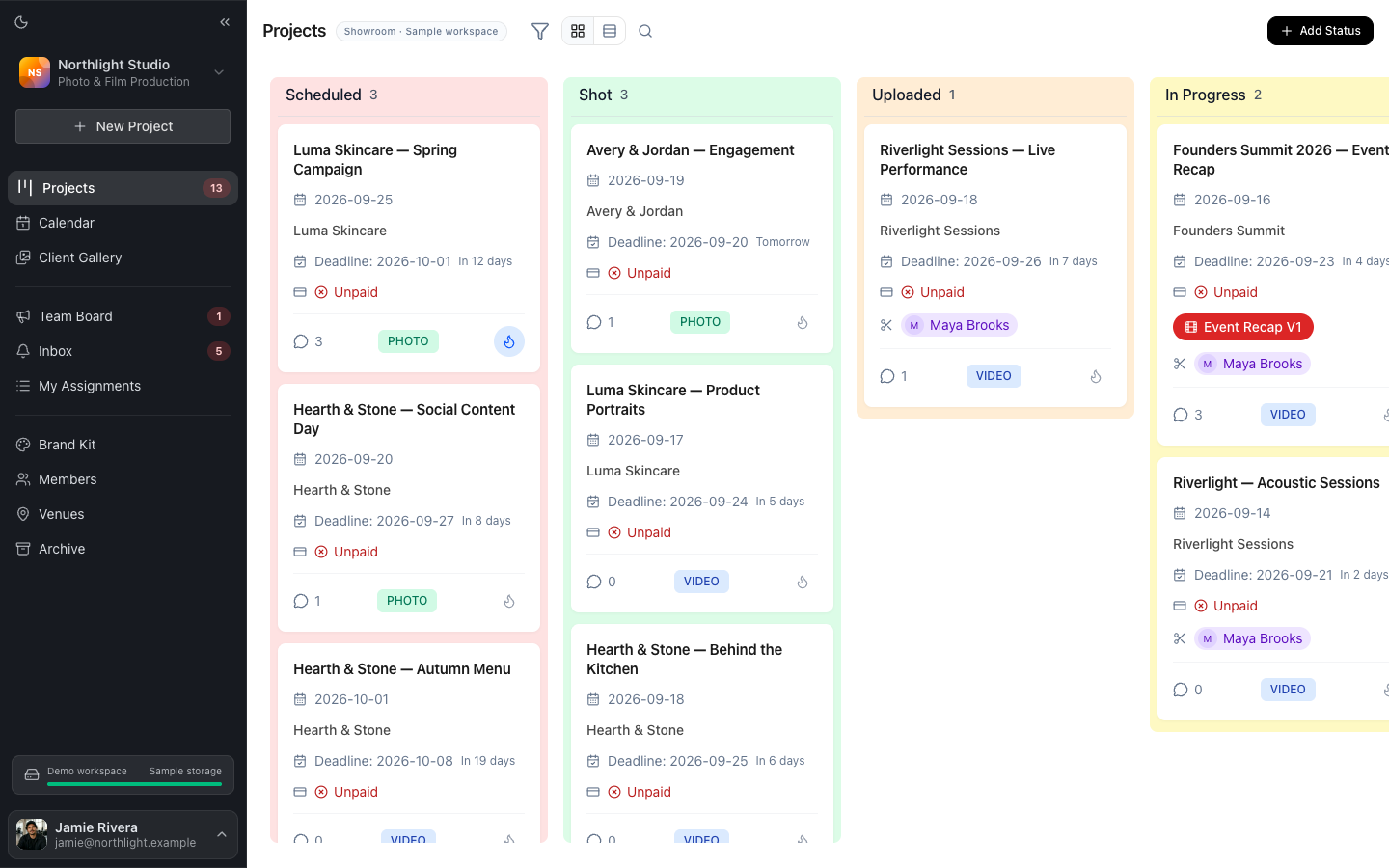 The board groups shoots by production state so stalled work is visible without opening every project.
A board fails when the team stops moving cards. Keep the number of stages small enough to maintain, make one person accountable for each transition and review exceptions on a fixed schedule.
Evaluate software with the glance test
Recreate one busy week containing:
- a shoot not yet ingested;
- one project waiting for an editor;
- one V1 ready for internal review;
- one V2 waiting for approval;
- one delivery due;
- different people assigned to each.
Then time how long the tool takes to answer:
- Who is shooting Saturday?
- Which job is overdue?
- What is waiting on the owner?
- What is waiting on the editor?
- Which version is the current review?
- Where are the source folder and approved master?
If those answers require opening every project, the system stores records but does not manage flow.
Compare software by production shape
Video production software serves several markets:
| Product shape | Strongest fit | Check carefully |
|---|---|---|
| General project manager | flexible tasks, automations and reporting | media review, file versions and external reviewers |
| Film-production suite | pre-production, call sheets and set logistics | post-production review and small-studio overhead |
| Review platform | comments, annotations, versions and approvals | crew scheduling and cross-project status |
| Studio production workspace | recurring shoots, crew, review and delivery | CRM, contracts and accounting boundaries |
DataForSEO shows commercial demand around both “video production project management software” and “video project management software.” Search results mix all four categories, which is why a feature checklist without workflow context is misleading.
Choose the category that matches the stage currently breaking. A studio with reliable booking but missed edit deadlines does not need another proposal builder. A production company struggling with call sheets may need a deeper pre-production system than a post-production workspace.
Keep photo and video on separate clocks
The same wedding or event may produce photos, a highlight film, ceremony film and social clips. They share client details and production day, but their work moves at different speeds.
Track photo and video as linked projects when they have separate:
- crews or editors;
- storage paths;
- internal deadlines;
- review rounds;
- delivery dates.
The photo gallery can be delivered while the film remains in revisions. One combined status such as “almost done” hides that distinction.
Connect review to the project
Scattered feedback becomes expensive when a note and the cut separate. Keep timestamped comments, drawings and the approval decision with the reviewed version.
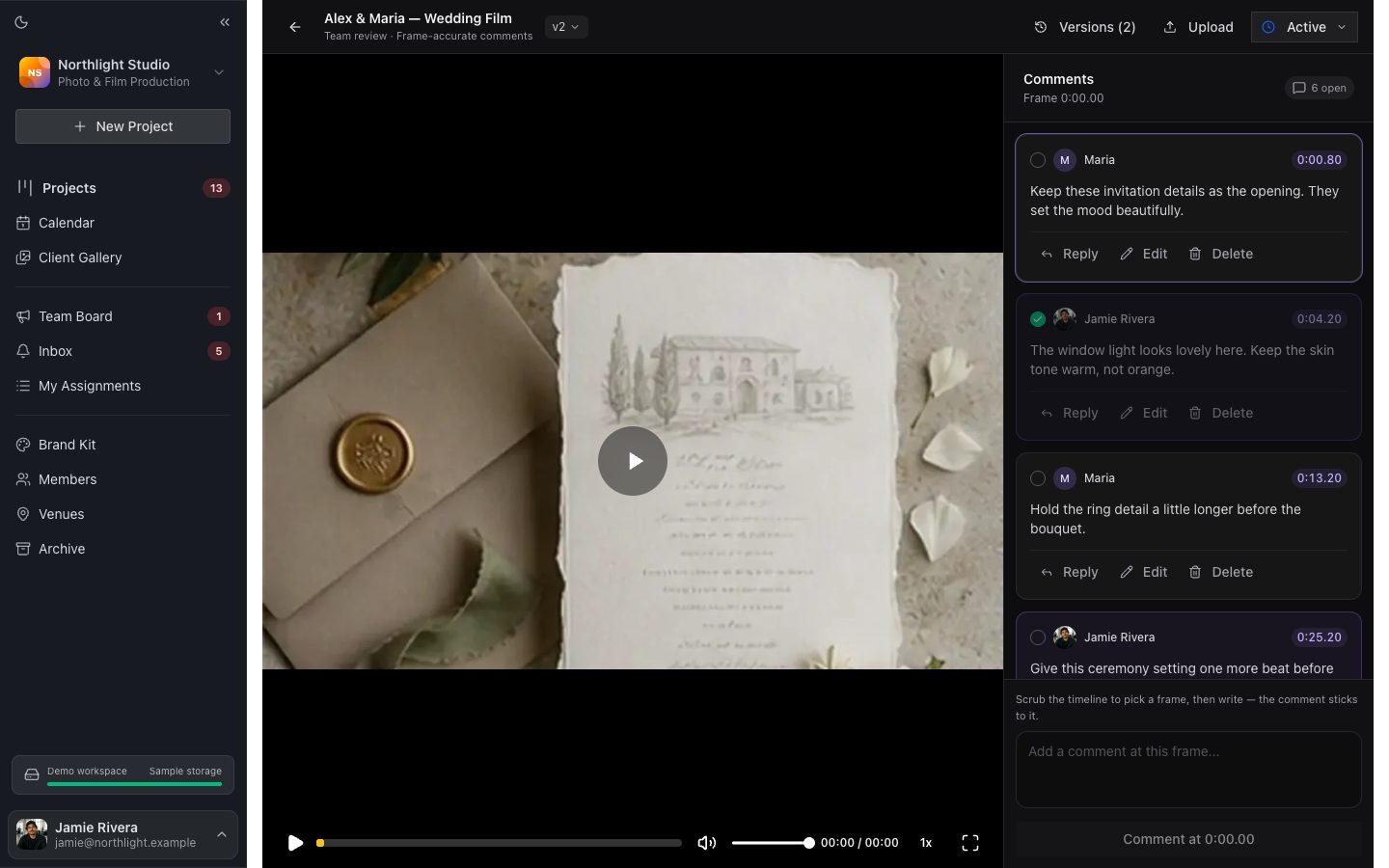 The review page gives the project a concrete queue of changes instead of an email summary.
Run one closed round per version: collect feedback, resolve contradictions, assign the editor one list, upload V2 and preserve the V1 history. The detailed process is in Video Review and Collaboration.
How FlowShot handles video project management
FlowShot creates photo, video or linked photo-and-video projects. A linked pair shares the client, event date, location and venue, then keeps its own crew, status, deadlines and chat.
Projects appear as cards on a customizable production board. Crew members receive a My Assignments view and can be limited to assigned work. The calendar combines project dates, deadlines and team events.
Google Drive or Dropbox folders can be created from organization templates and linked to each project. Review Pages hold internal photo and video comments and versions. After approval, the finished photos and films can be published to a private Client Gallery.
On Solo and up, FlowShot also includes a CRM: an inquiry form, one document with the quote, contract and payment plan that the client signs online, and a booking that creates the project with the client’s details. A studio that keeps HoneyBook or Dubsado can create the FlowShot project through Zapier when a booking reaches the chosen stage, then production continues on the project board.
FAQ
What is video production project management?
It is the process of coordinating a video job from booking through crew, shoot, ingest, edit, review, approval and delivery. The system connects the production status to the people, files, versions and deadlines responsible for moving it.
What is the best project management software for video production?
Choose by production shape. General project managers offer flexibility, film suites go deep on pre-production, review platforms focus on cuts and approvals, and studio workspaces connect recurring shoots to crew and delivery. Test one real week before buying.
Can Trello, Asana or a spreadsheet manage video projects?
They can track statuses and tasks. Check how the setup handles large storage links, version-specific feedback, reviewer access, linked photo/video work and the difference between internal approval and client delivery.
Should photo and video from one wedding be one project?
Keep the booking connected but use separate production records when photo and video have different crew, statuses, review rounds or delivery dates. FlowShot creates them as a linked pair from one form.
Does project management replace a video review tool?
No. Project management shows ownership, status and deadlines across jobs. Video review holds timestamped comments, drawings, versions and approval on a specific cut. The two layers should exchange status without copying notes manually.
Updated
See the workflow in FlowShot ↗